
SEO is a key driver of website traffic for many businesses. There are many services available to monitor ranking and optimization data to help you reach your audience, ranging from free SEO tools to comprehensive enterprise platforms.
In this article, we'll explore some of the best SEO testing and monitoring tools available in 2026.
1. Ahrefs
Ahrefs is a comprehensive SEO platform that serves small businesses as well as enterprise customers.
For example, Ahrefs lets you:
- View keyword volume and track rankings over time
- Identify new backlinks linking to your website
- Detect technical SEO issues on your pages
- Track whether AI tools are mentioning your brand
- Optimize your content to improve rankings
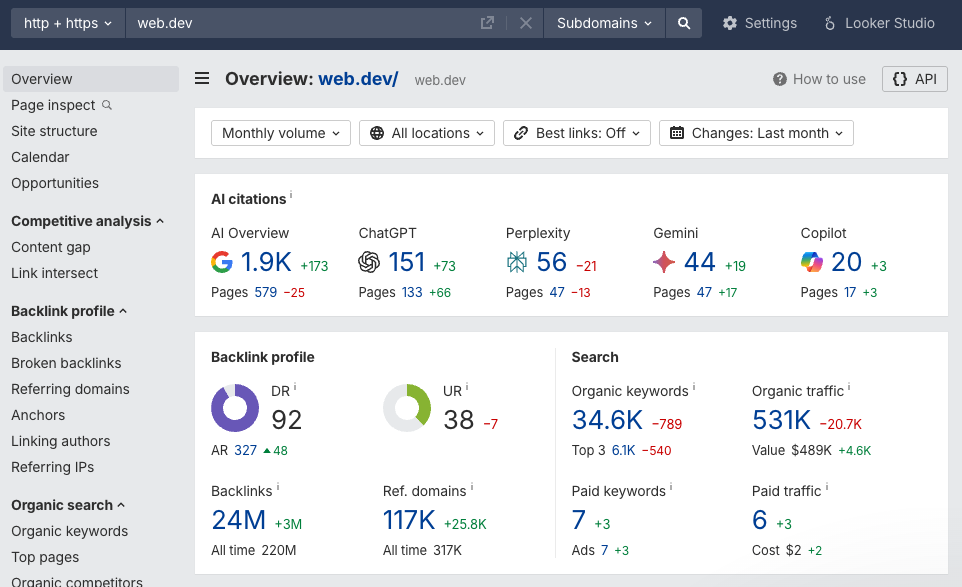
Ahrefs can provide in-depth insights into keywords that drive traffic to your own website or those of your competitors. You can see not just what the top keywords are, but also how estimated traffic volume is changing over time.
For each keyword you can see:
- KD: A keyword difficulty score between 0 and 100 that indicates how hard it is to rank for the keyword
- SF: What search features are shown for the keyword (for example AI overviews or video sections)
- CPC: The average cost per click if you were to run ads for the keyword
- GV: Global search volume
- What websites are currently ranking for it
This allows Ahrefs to provide in-depth insights into what information users are searching for and how to optimize your content to match that intent. Keep in mind that Ahrefs only provides estimated traffic volumes based on their own data sources, which may not always match actual traffic volume.
2. DebugBear
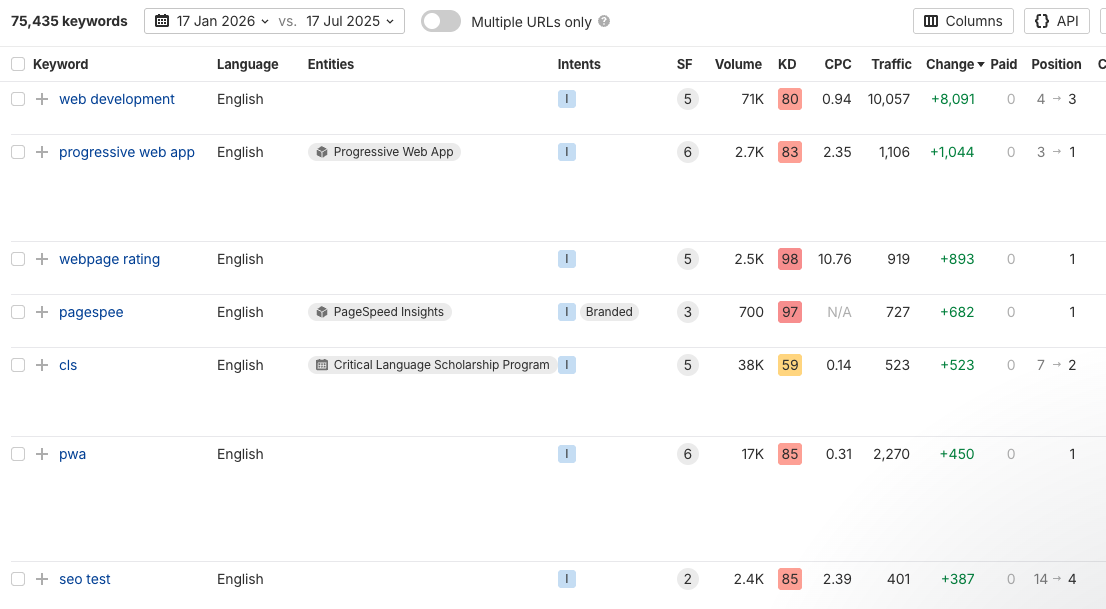
DebugBear is a website performance monitoring and testing tool with a focus on the Core Web Vitals metrics that impact Google rankings.
Optimizing Core Web Vitals is also important for visitor experience once users have arrived on your website.
DebugBear provides comprehensive insights by combining three data sources:
- Synthetic monitoring: Scheduled tests that measure performance from different global locations. Get detailed performance reports and request waterfalls to identify optimizations.
- Real user monitoring: Track how actual visitors experience your website. Measure Core Web Vitals and other performance metrics across your whole site.
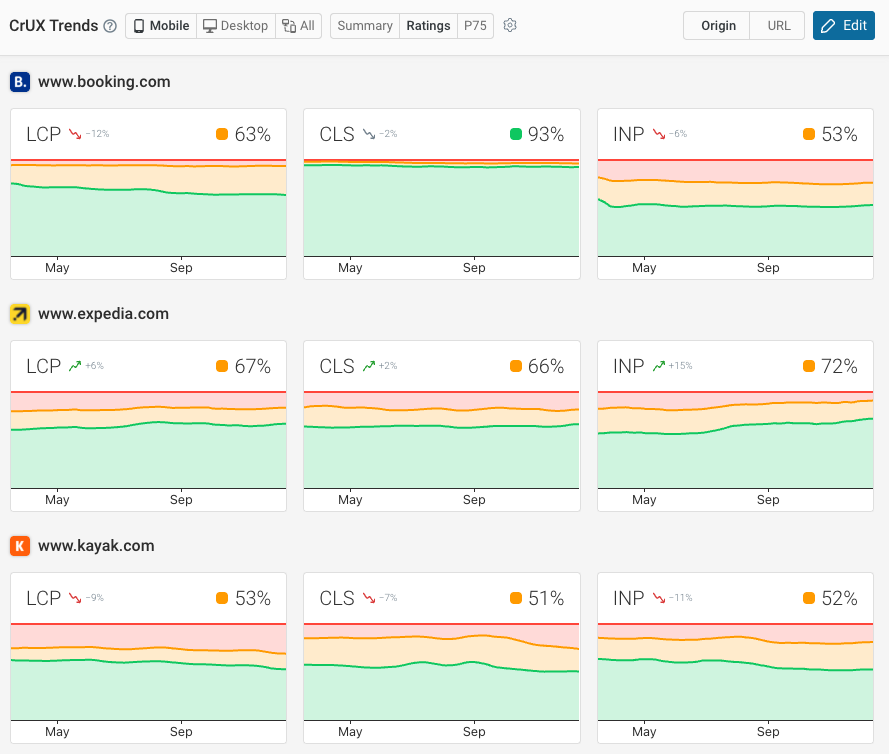
- Chrome User Experience Report (CrUX): Field data collected from real Chrome users that Google uses for SEO rankings. Monitor how your website performs in comparison to competitors.
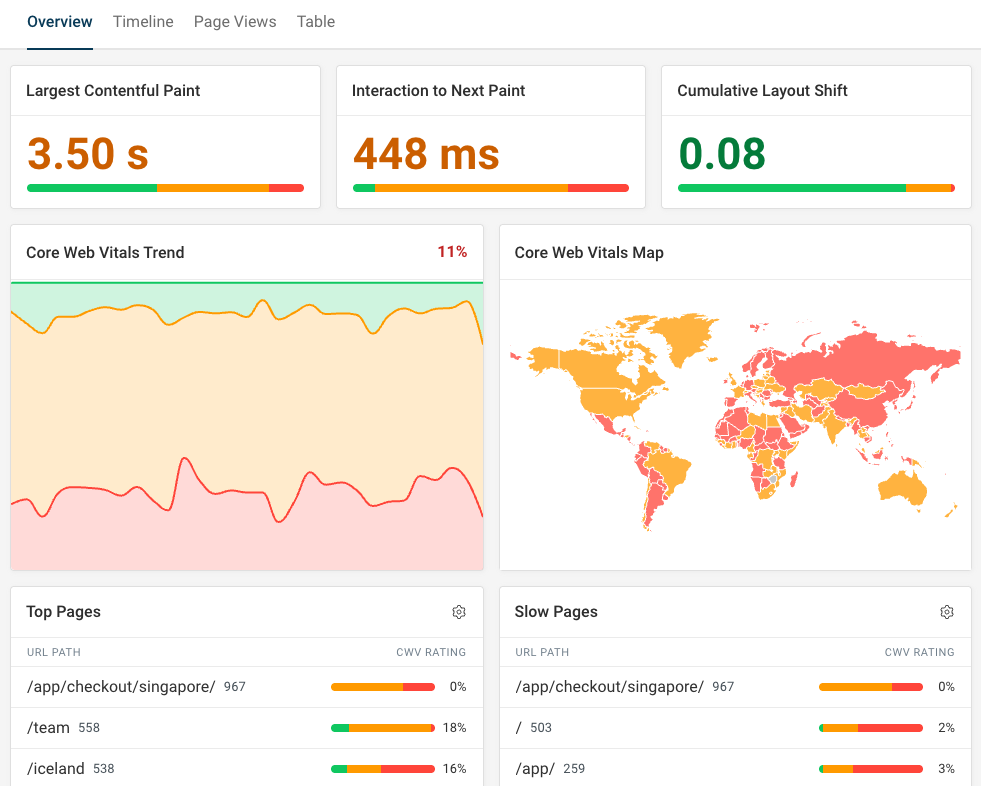
The DebugBear web performance data provides both high-level user experience metrics as well as the detailed technical reports your team needs to implement optimizations.
For example, this screenshot shows page speed data over time as well as identifying specific render-blocking requests and how they impact page load progress.
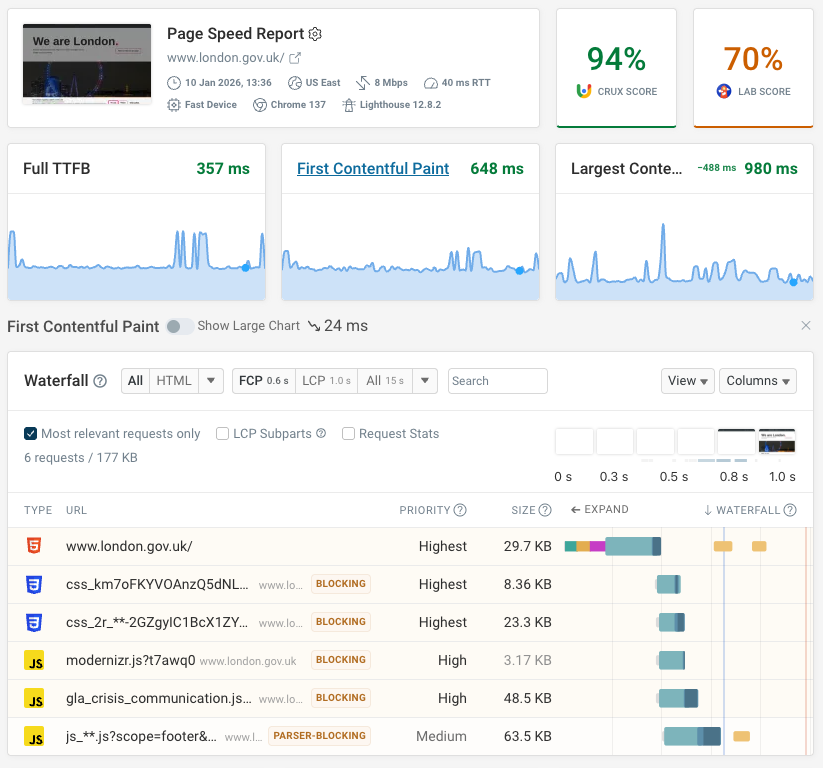
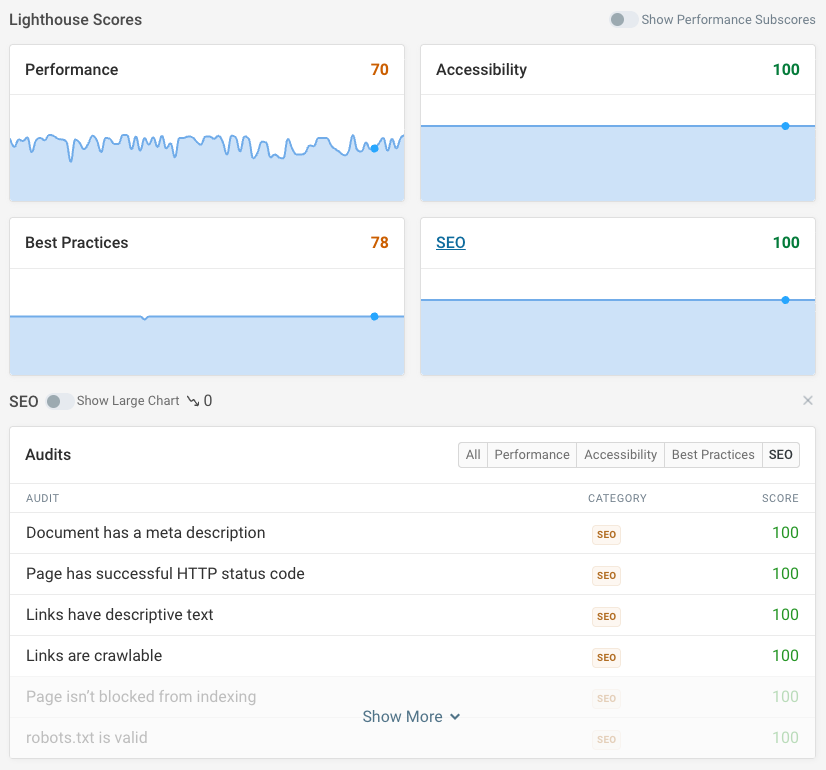
You can also track the SEO score from Google's free Lighthouse tool, which also powers PageSpeed Insights.
When there's a regression you can easily identify the specific audit where an issue was introduced and compare it to previous test results.
3. Google Search Console
Google Search Console (formerly known as Webmaster Tools) is a free tool provided by Google to help website owners monitor and optimize how their website shows up in Google search results.
While other SEO tools provide estimated search traffic data, Search Console reports actual data from Google. However, you can only see data for your own websites and not for competitors.
Search Console provides key metrics about your rankings:
- Total clicks: How many users clicked through to your website
- Total impressions: How many times your website appeared in search results
- Average CTR: The click-through rate, calculated as clicks divided by impressions
- Average position: The average ranking position of your website for the selected keywords
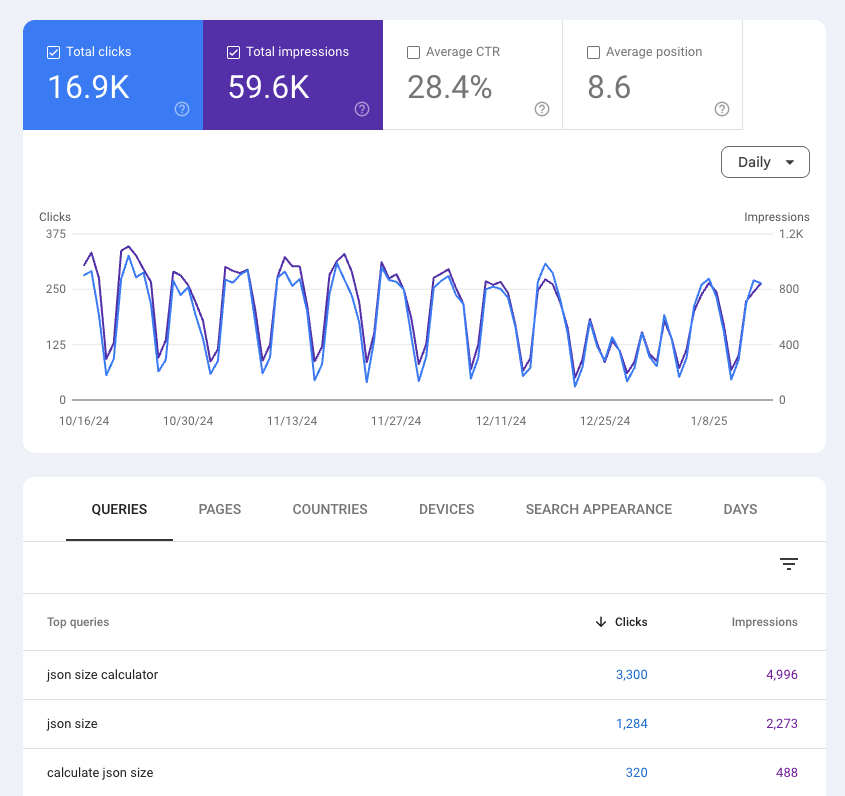
On top of ranking data, Search Console also includes reporting on technical SEO issues like sitemaps, Core Web Vitals, or enhancements like breadcrumbs or ecommerce schema markup.
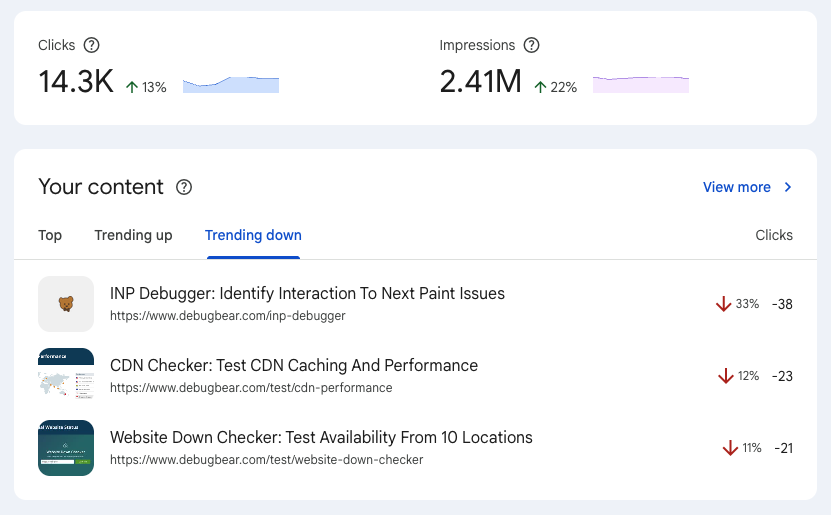
More recently, Google also added a new Insights report that tells you which of your pages and keywords are getting more or less traffic. The report also makes it easy to see how your top content is performing.
4. SEO Testing
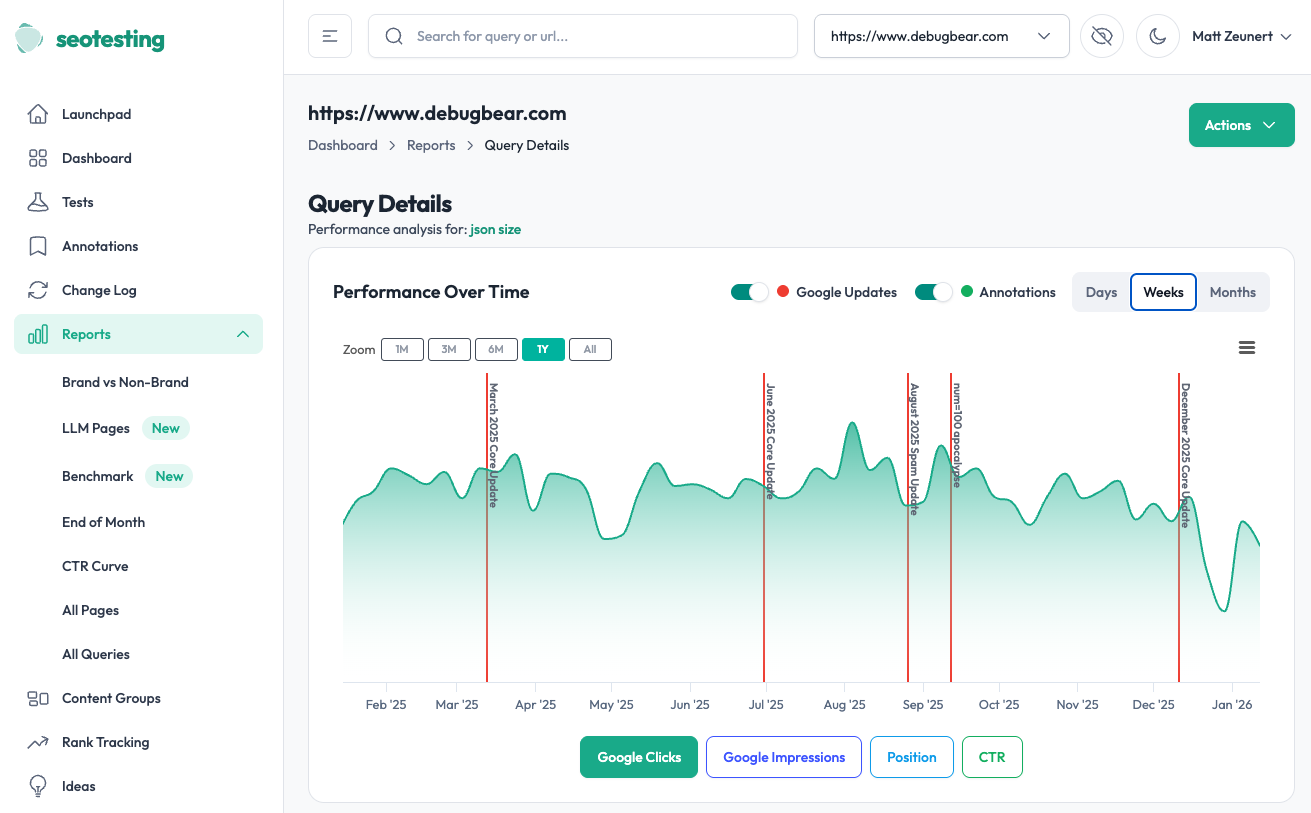
SEO Testing is a specialized SEO monitoring tool that focuses on tracking your search rankings over time. It's based on data from Google Search Console and Google Analytics.
The core feature of the product is the SEO Test: whenever you make a change on your website you can see how that impacts your rankings for specific pages and keywords.
All too often we update content without really measuring the impact or understanding whether it made things better or worse. SEO Testing provides a structured way to assess the impact of content optimizations.
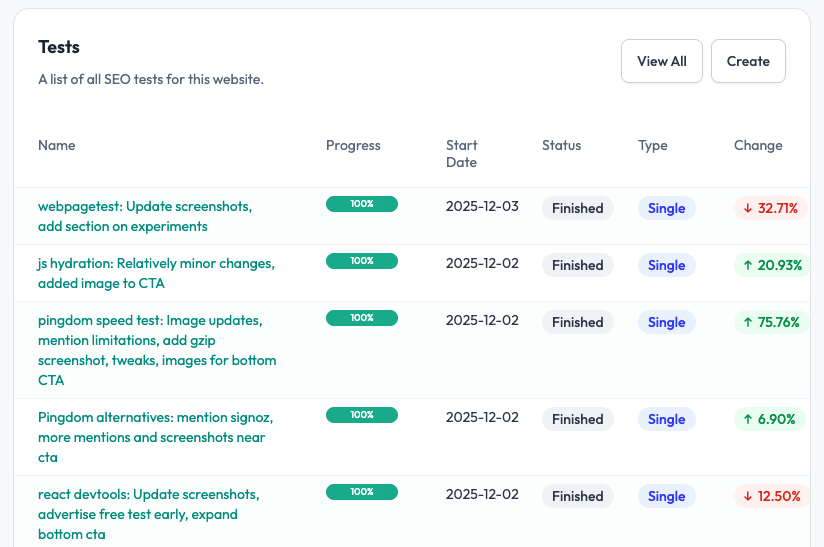
Other than testing the impact of website changes, SEO Testing also offers additional reporting based on your Search Console data. For example you can identify new keywords, keywords in striking distance to a good ranking, or potential low-quality content.
You can get notified of keyword, URL, or traffic changes through email alerts. Content groups allow you to segment search traffic data for different parts of your website.
5. Screaming Frog
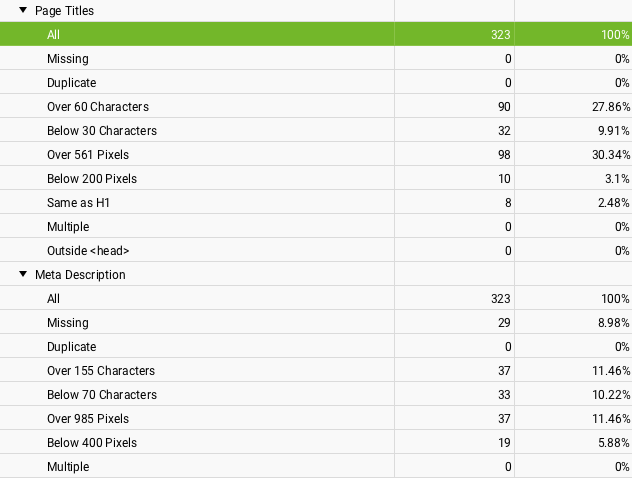
Screaming Frog is a technical SEO tool that crawls your website to identify potential issues that could impact search rankings. You can run the tool directly on your own computer.
The product helps you identify potential website optimizations like broken links, missing meta descriptions, duplicate content, or slow-loading pages.
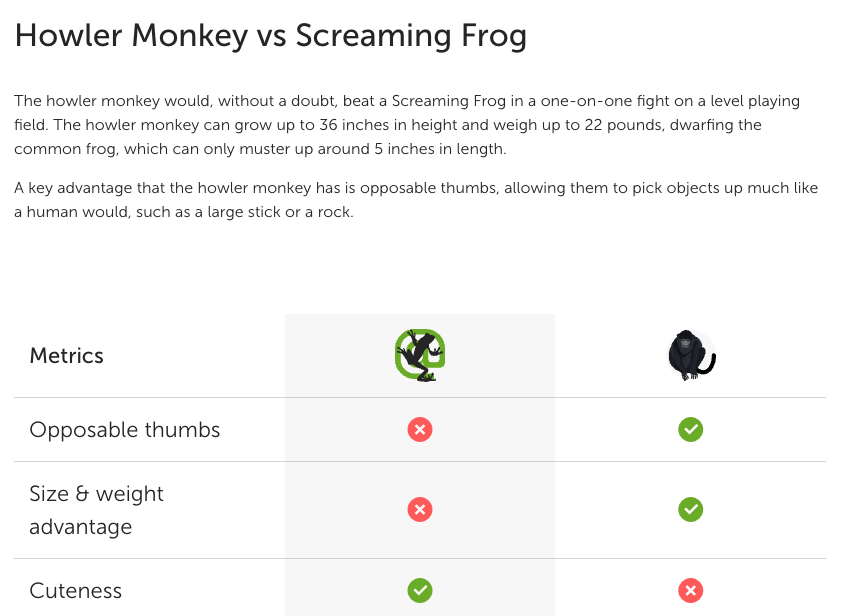
On top of being a great SEO auditing tool, Screaming Frog also has a hilarious "alternative to" page comparing the screaming frog to other animals like the laughing hyena or the howler monkey!
6. Website SEO Checker
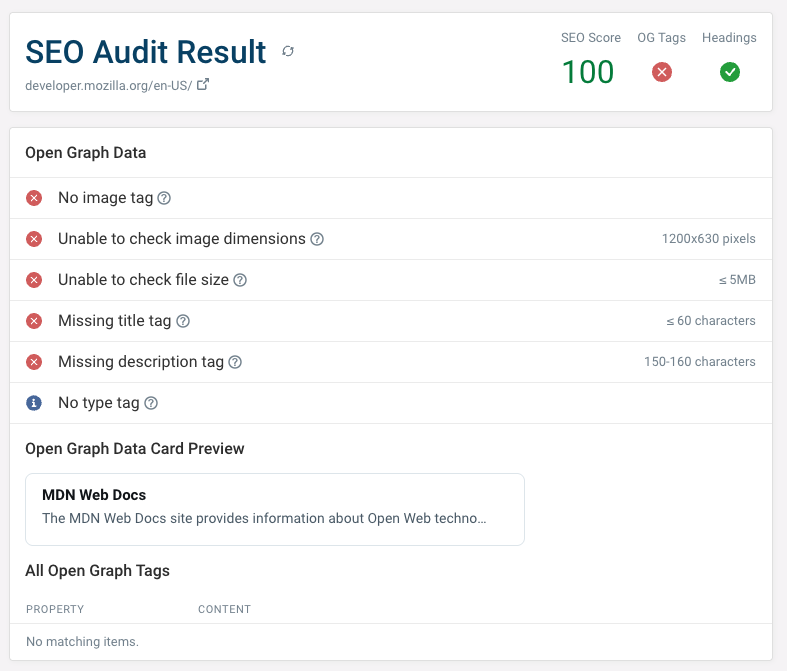
The free website SEO checker by DebugBear offers a quick way to check on-page SEO and meta data for any URL.
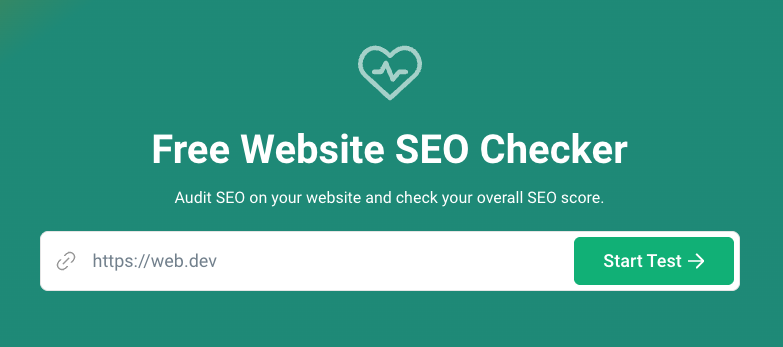
The report includes a general SEO and crawlability assessment, validation checks for open graph data, as well as an analysis of heading structure and keywords.
7. Lumar
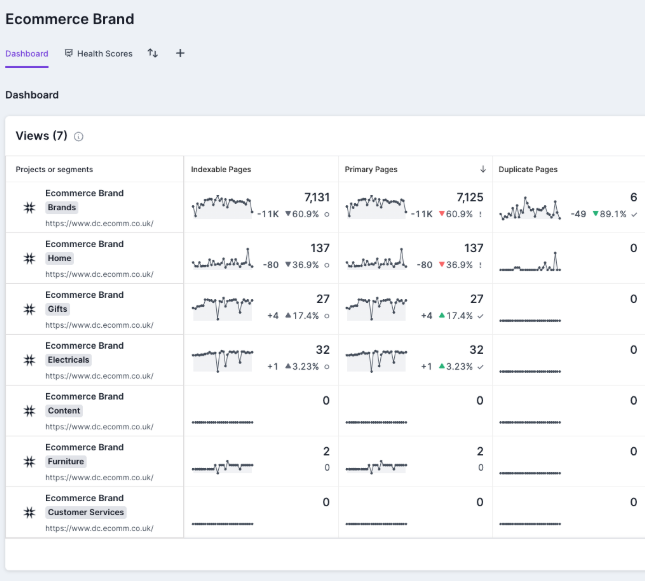
If you're looking for a dedicated enterprise SEO tool, Lumar (formerly known as DeepCrawl) provides a comprehensive platform for monitoring and optimizing large websites.
You can use it to monitor many technical aspects of website SEO, including indexability, page speed, content duplication, and keyword usage.
What's the best SEO software?
Depending on your needs, different tools will be best for you. In most cases you'll combine different platforms to gain the most comprehensive and nuanced insights.
Free SEO tools like Google Search Console or the Website SEO Checker are a great place to start for small businesses. For researching new keywords, Ahrefs provides in-depth data and competitive insights.
If you want to improve Core Web Vitals and visitor experience on your website you can use DebugBear to get alerted to performance regressions and to collect diagnostic data to optimize website performance.
DebugBear also lets you benchmark your own website to those of your competitors, using real user data from Google. Sign up for a free trial today!


Monitor Page Speed & Core Web Vitals
DebugBear monitoring includes:
- In-depth Page Speed Reports
- Automated Recommendations
- Real User Analytics Data