
Google Search Console provides information on Google Search clicks and impressions for your website. But until recently, you couldn't use it to track data on websites you don't host yourself, like your social media pages.
That changed in July 2026 with platform properties, a new property type that shows how your YouTube and social media content performs in Google Search.
This article explains how to set up the new reports and what data they offer.
What are platform properties?
Platform properties are a new Search Console feature that lets you see how your social media channels perform in Google Search.
The following platforms are supported:
- YouTube
- TikTok
- X / Twitter
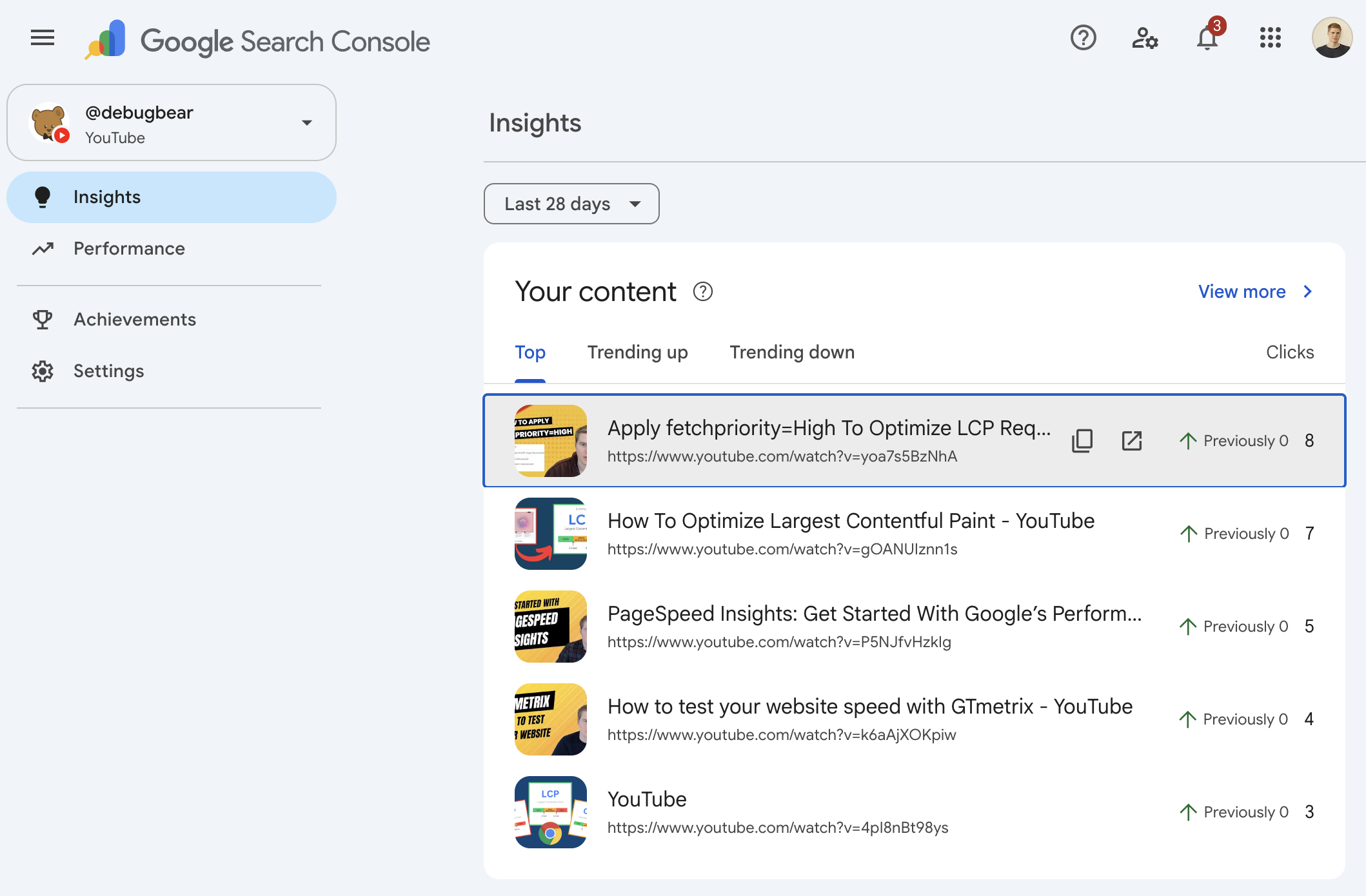
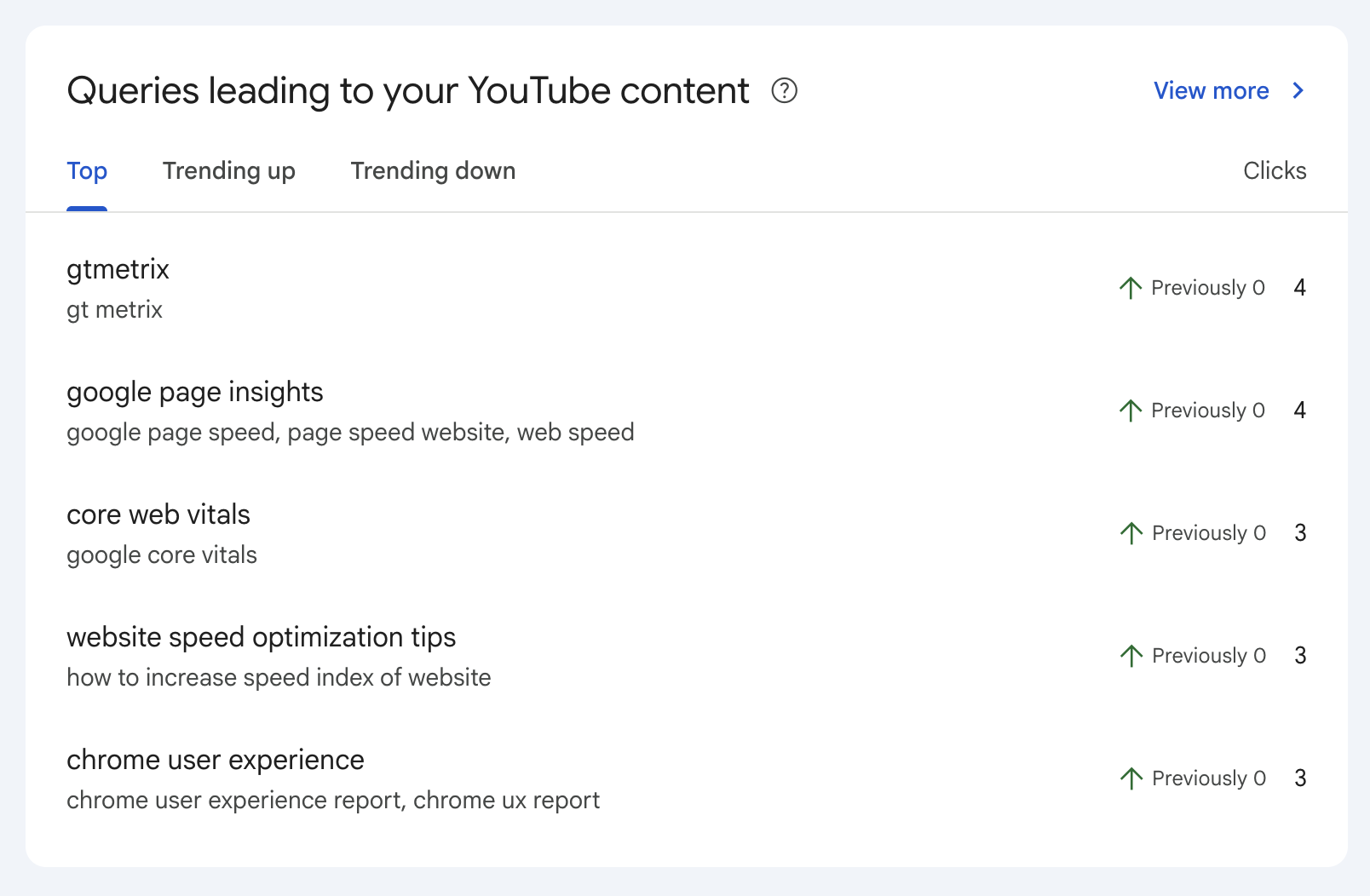
For example, this screenshot shows trends in how viewers discover YouTube videos through Google Search.
How to set up a social media platform in Search Console
Start by opening the property selector in the top right of Google Search Console.
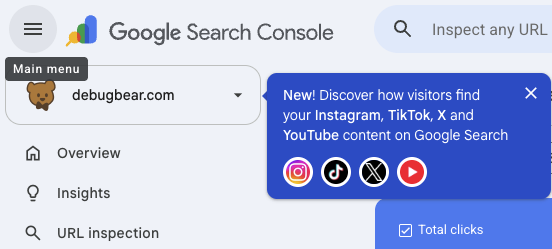
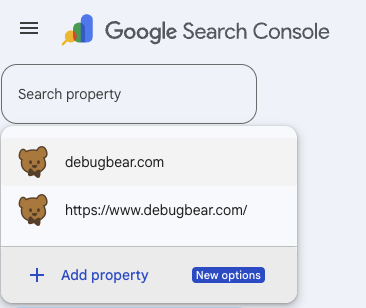
Then select Add property.
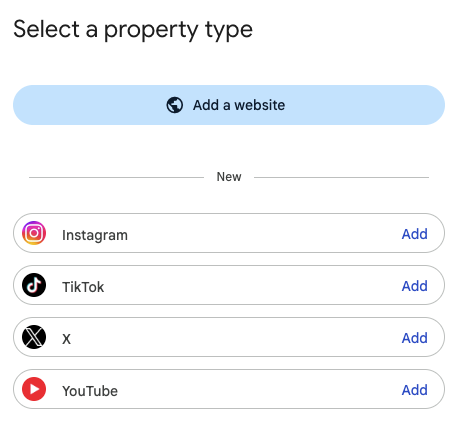
You can add a new website or a supported social media platform. In this case, I'm adding a new YouTube channel.
Select which YouTube channel you want to connect and confirm it with Add property.
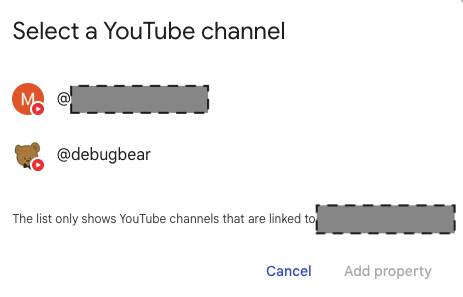
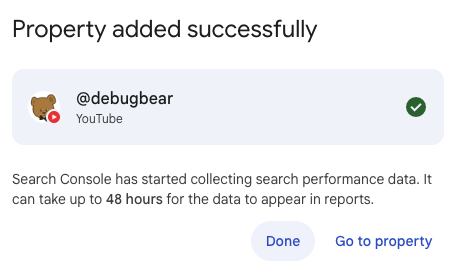
The property has now been added successfully.
It will take a day or two before search analytics data is available.
X and other non-Google accounts
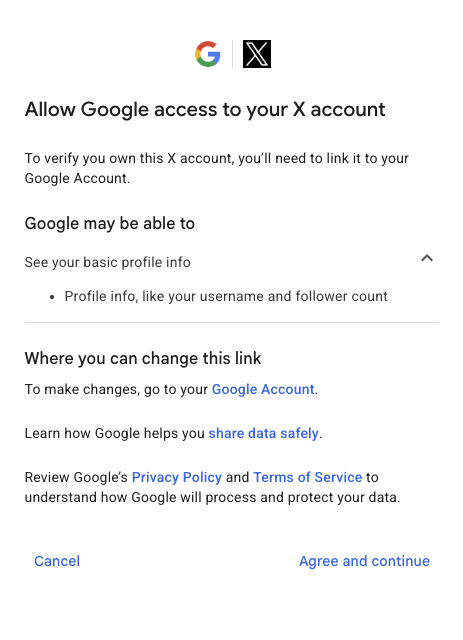
When connecting your platform profile to Search Console, you'll need to authorize access on the platform.
You'll be able to see what data will be shared with Google.
View search traffic data for your social platform
Once the setup process is complete, you'll be able to access the usual search insights that Search Console provides, like keyword impressions or clicks.
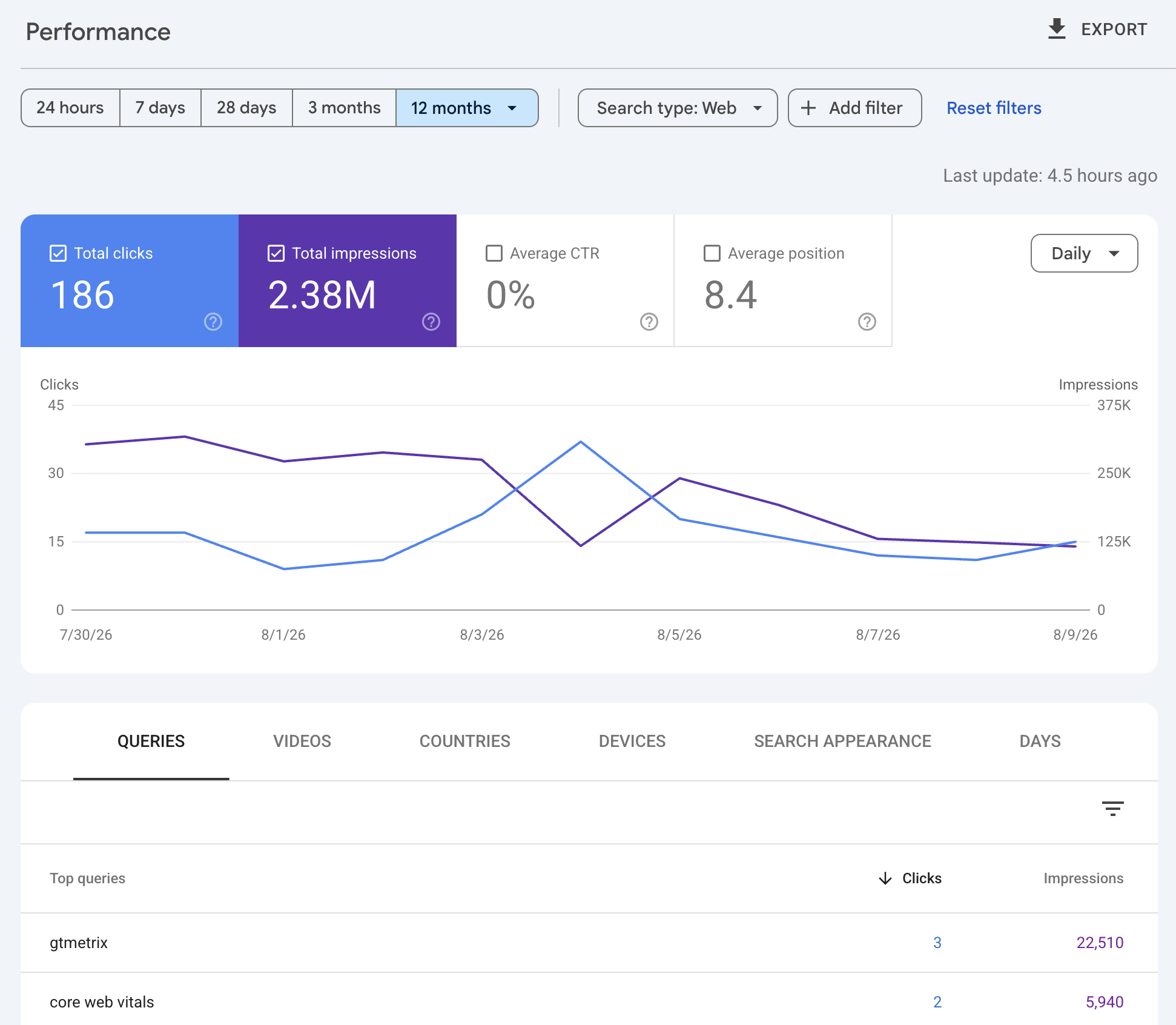
Instead of the pages breakdown, you can access groupings based on the content type of the platform, for example X posts or YouTube videos.
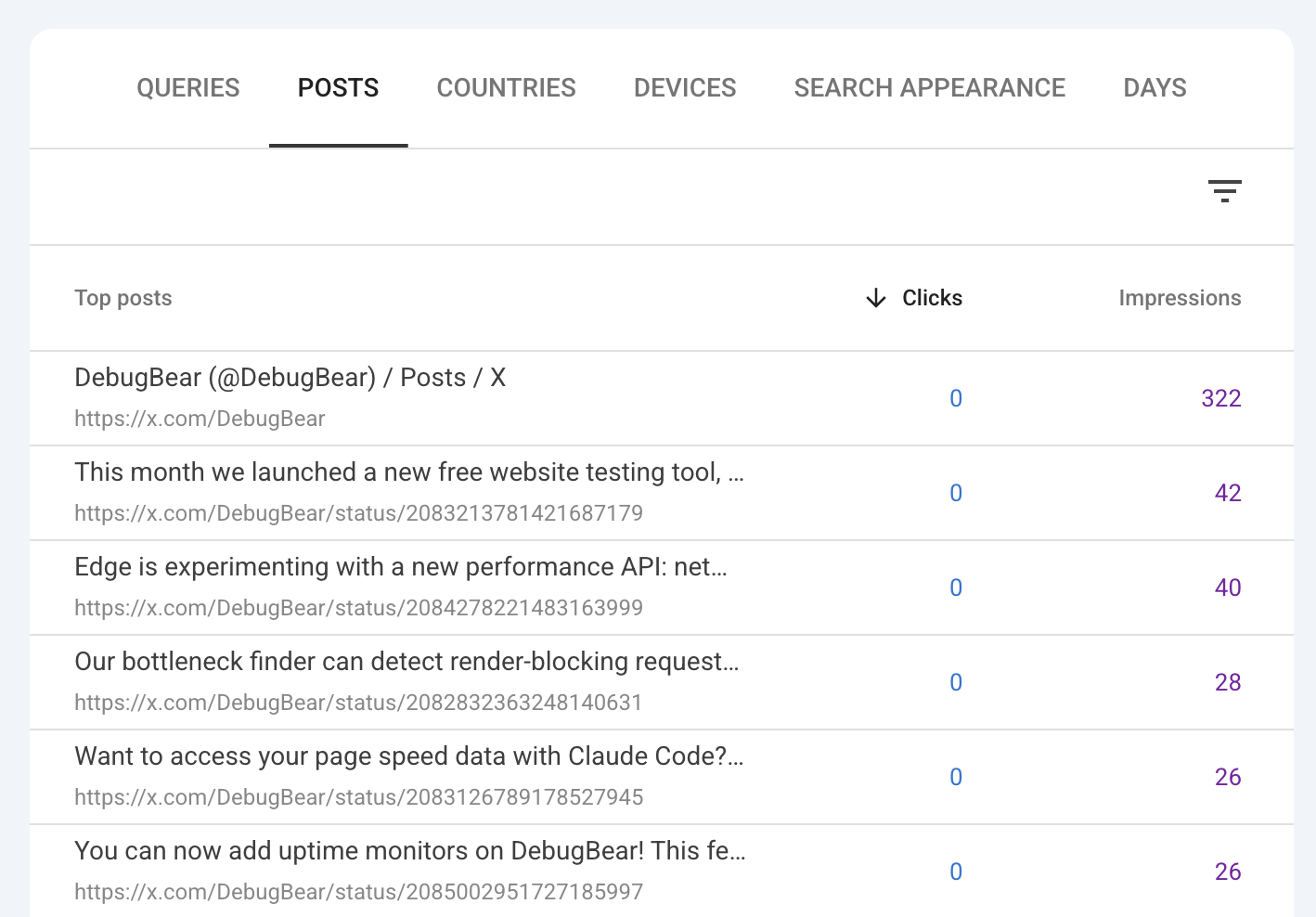
The new insights reports are also available for platform properties. You can see trending content, keywords, and in what countries Google users are seeing your content.
Limitations of platform properties
Platform property data is not as extensive as Google's website reports. That makes sense, since you don't have full control over the platform.
You also can't view data from before you've set up the platform. So you'll need to wait a few weeks to have more meaningful data for analysis.