
Web analytics used to mean one thing: Google Analytics. Today the market has split into three groups. Google Analytics remains the free default with deep ad integrations, lightweight privacy-first tools like Plausible and Fathom offer simple dashboards without cookie banners, and product analytics platforms like PostHog and Mixpanel track individual user journeys in detail.
Website monitoring tools like DebugBear add a fourth angle, combining visitor data with page speed metrics to show how site experience affects conversions.
This article takes a look at eight tools you can use to measure website visits and what their respective strengths are.
What is web analytics?
Web analytics tools can tell you a range of information about what's happening on your website. For example, for each page view you get some basic information.
- How many page views do different pages get?
- Are they direct visits, or referrals from Google, Facebook, and other sources?
- Where are people visiting your website from?
Beyond the basic data, web analytics services can also provide additional insight:
- Conversion tracking: did visitors start a trial or make a purchase?
- Session tracking: how did visitors navigate through your website?
- Web performance: did users have a fast experience and did you pass Google's Core Web Vitals?
1. DebugBear
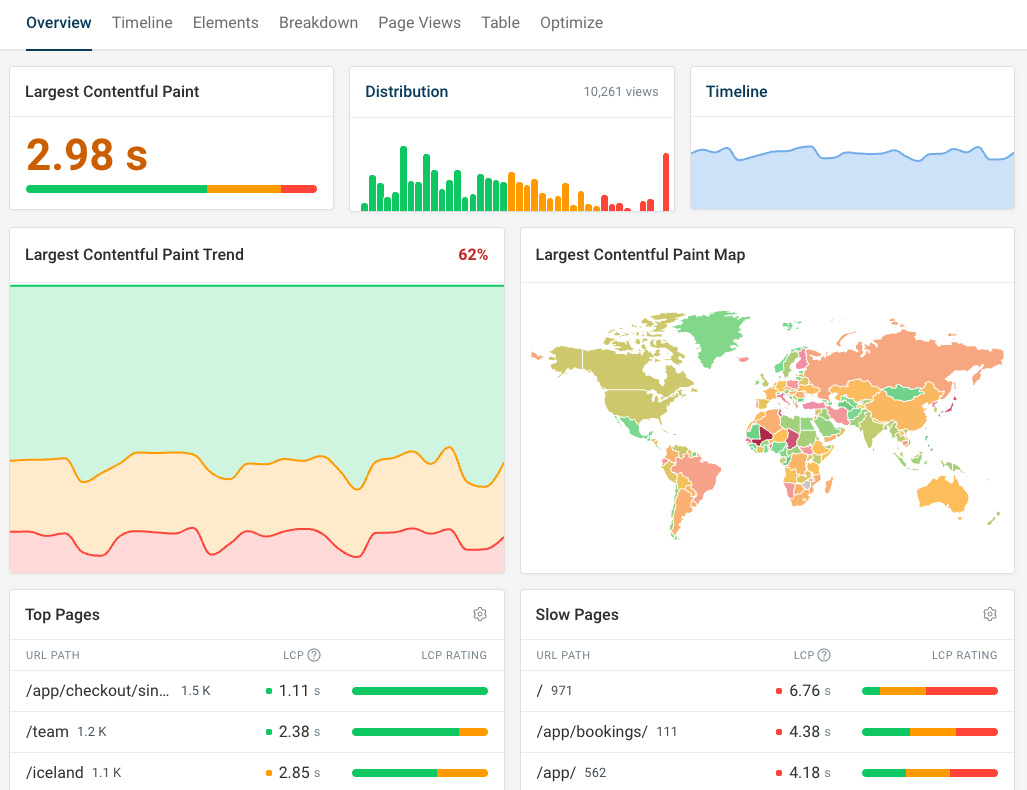
DebugBear is a website monitoring platform that includes real user monitoring for website analytics and performance.
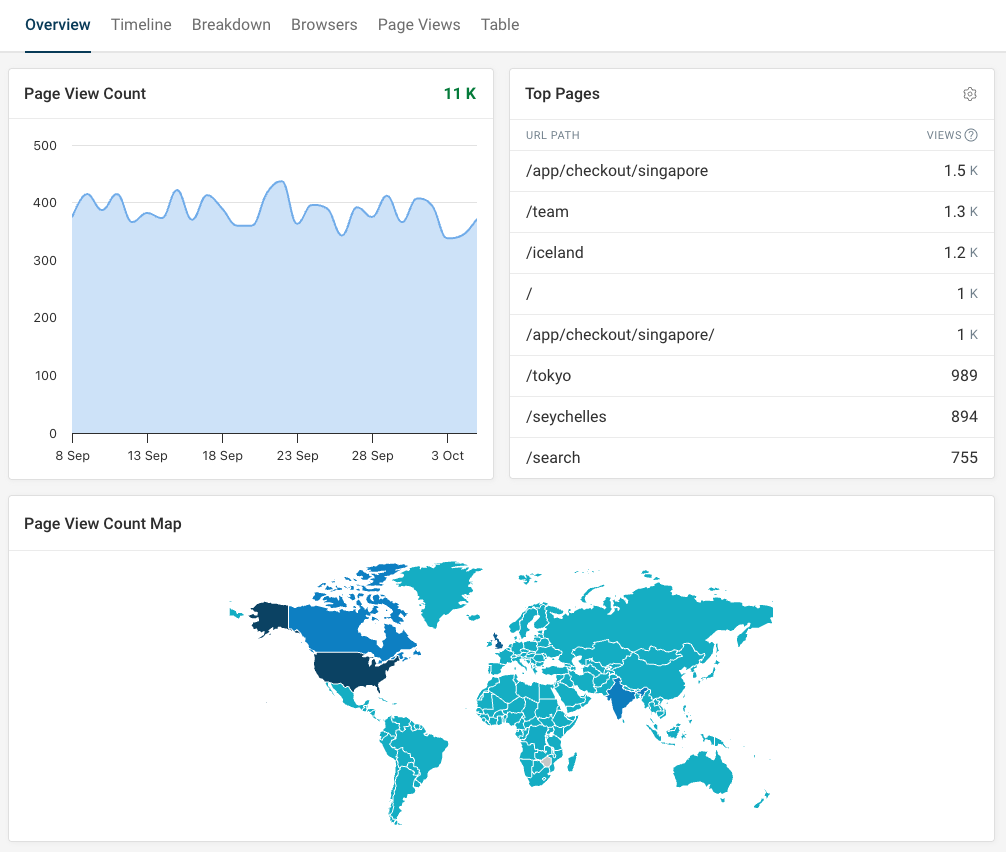
The View Count tab focuses on basic web analytics like page views, traffic sources, and visitor countries.
The special focus of the tool is website performance and Core Web Vitals monitoring. You can get in-depth data on how fast your website is and what's slowing it down.
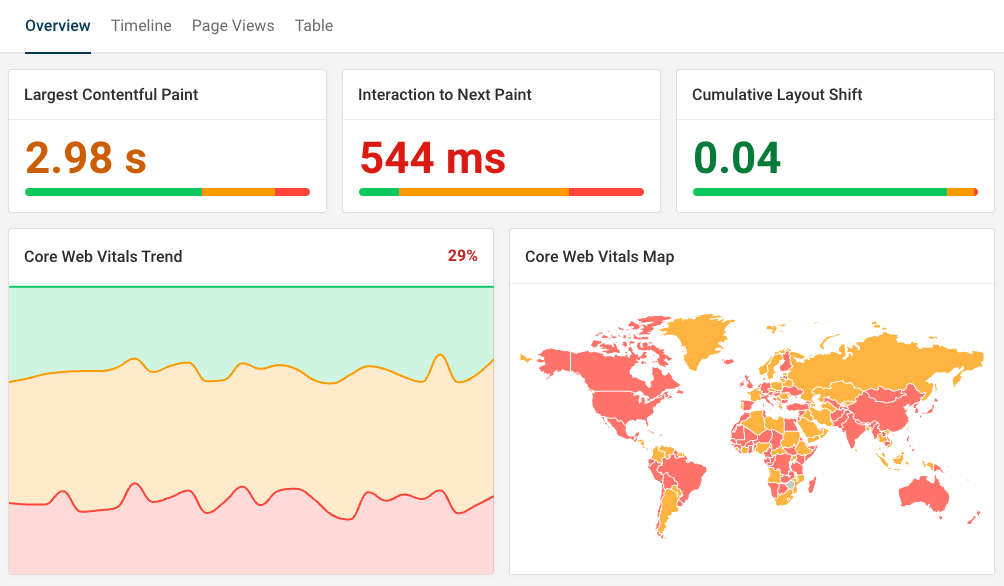
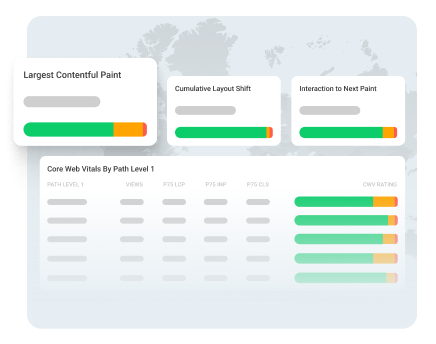
This dashboard shows Google's three key performance metrics that impact rankings: Largest Contentful Paint, Interaction to Next Paint, and Cumulative Layout Shift.
DebugBear doesn't track visitors or collect personal data by default. If you want to correlate page speed with business outcomes, you can optionally enable session and conversion tracking.
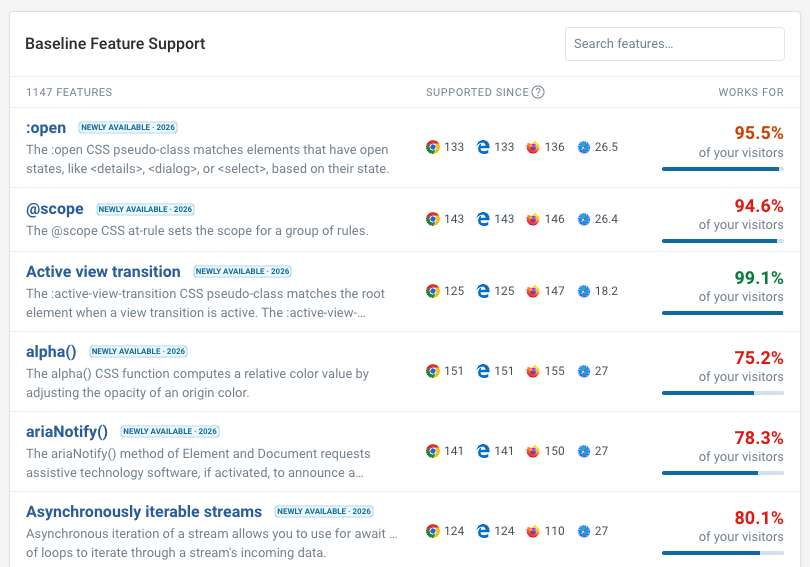
Technical data like visitor network speeds or browser versions is available as well. Based on browser data, DebugBear can tell you what web platform features are safe to use on your website.
The real user monitoring feature provides in-depth analytics for your website and helps you optimize performance. In addition to measuring real user experience, DebugBear provides scheduled synthetic tests and uptime monitoring.
2. Google Analytics 4
Google's Analytics service provides a lot of analysis options and tightly integrates with other Google services like their ad platform.
It's free and lets you configure detailed attribution models and conversion funnels. However, it can come with a steep learning curve.
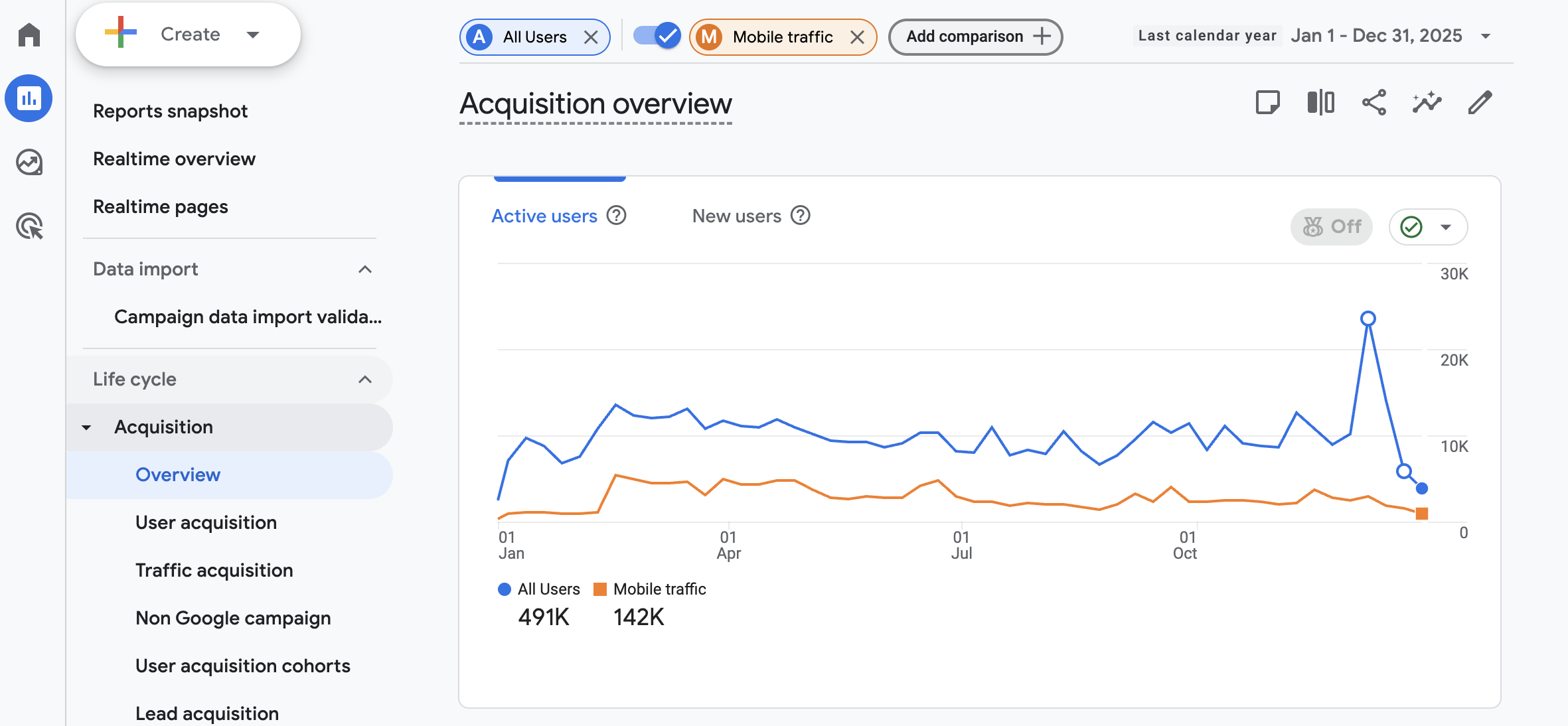
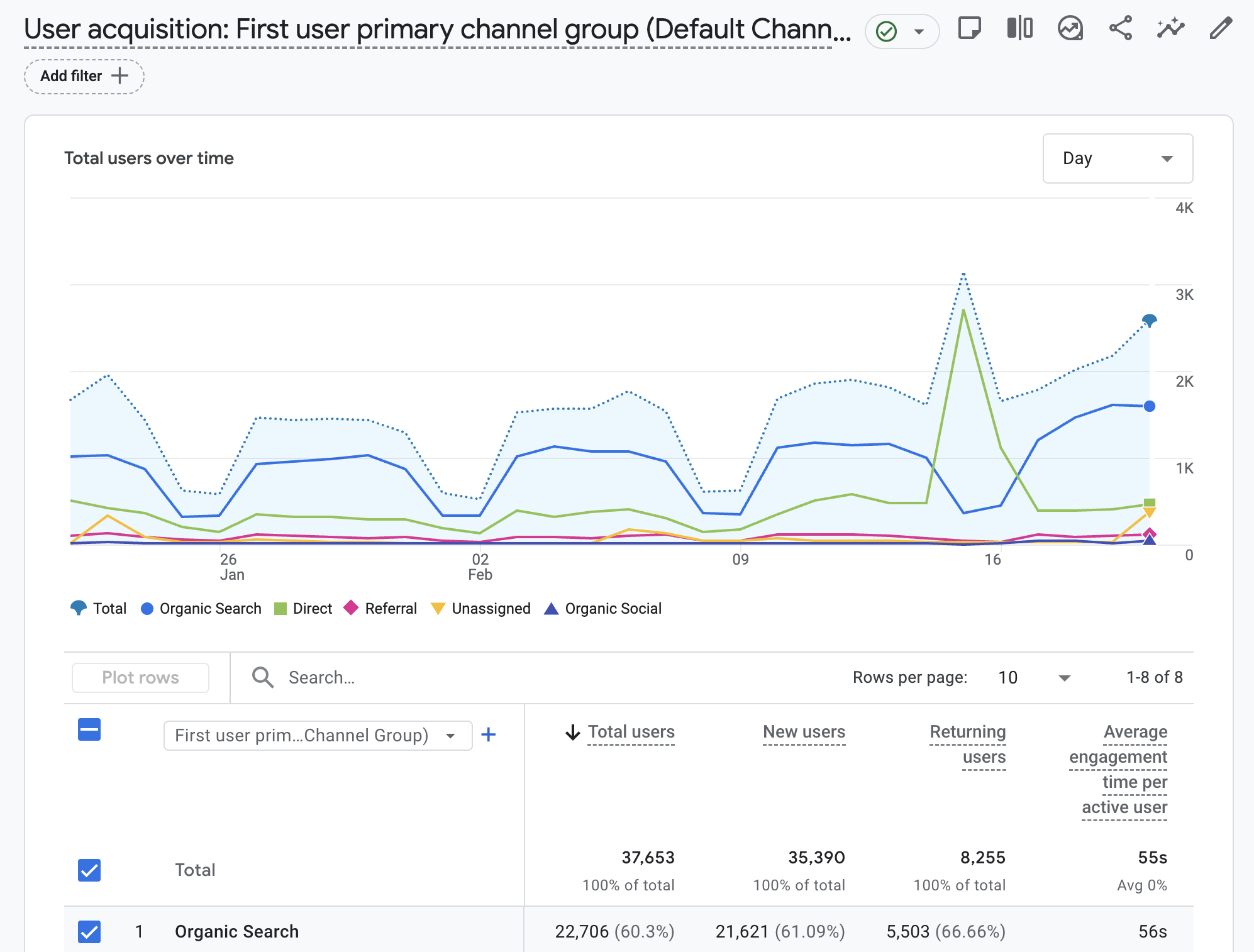
You can see how visitors arrived on your website and then filter and segment your data based on technical and demographic values Google collects automatically and any custom events you report.
The Google Analytics monetization section lets you deep dive into user journeys and purchases.
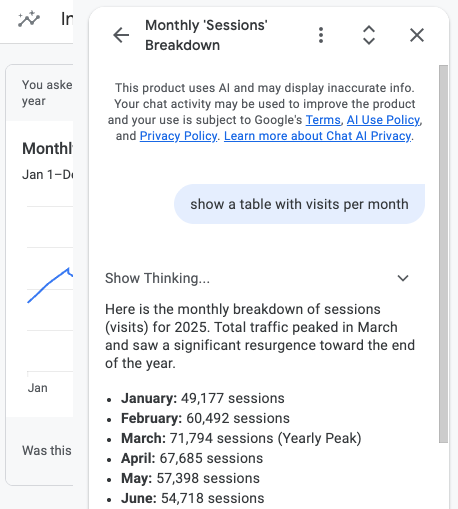
Google also provides an Ask Advisor AI feature that lets you get insights inside the app without having to manually configure each report.
3. Plausible
Plausible is a lightweight web analytics tool that's a simpler privacy-focused alternative to Google Analytics. It's easy to use and lets you identify traffic trends and what pages are converting.
The tracking script is under 1 KB and doesn't use cookies, so you don't need a consent banner to comply with GDPR. The product is open source and the hosted version stores all data in the EU. Pricing is based on monthly page views.
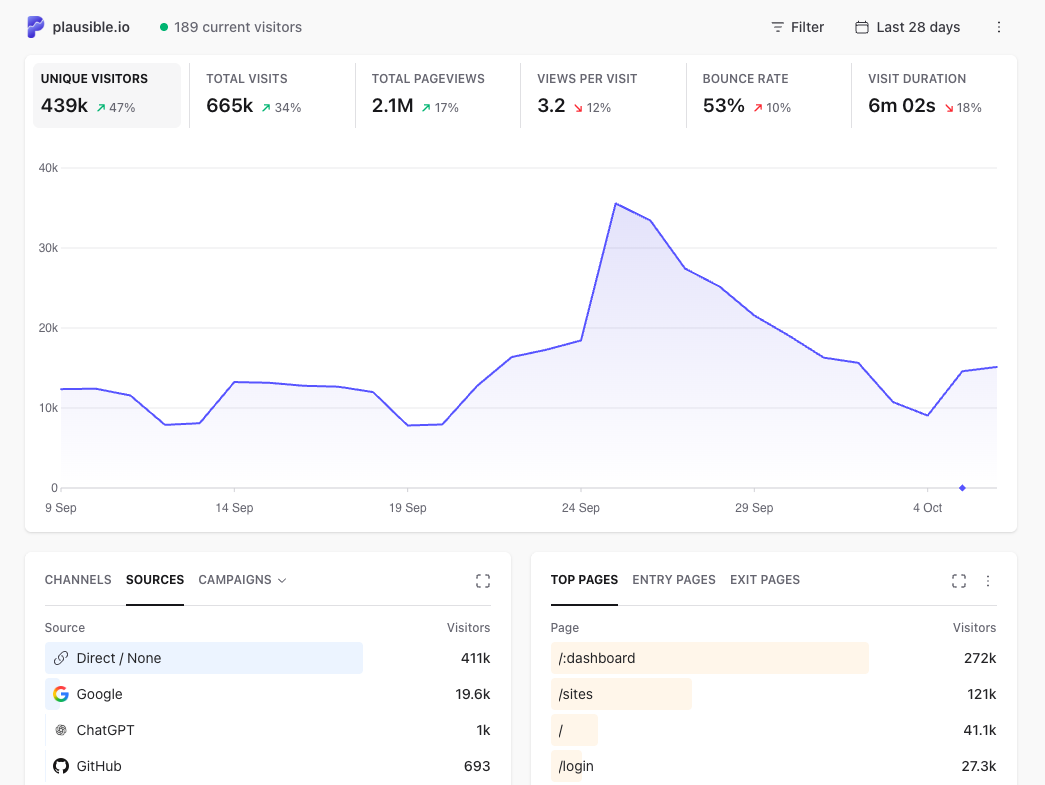
Traffic sources break down by high-level channel, specific source, or UTM campaign parameter (the utm_source, utm_medium, and utm_campaign values in a URL). Plausible then lets you filter data by visitor location, browser, operating system, or screen size.
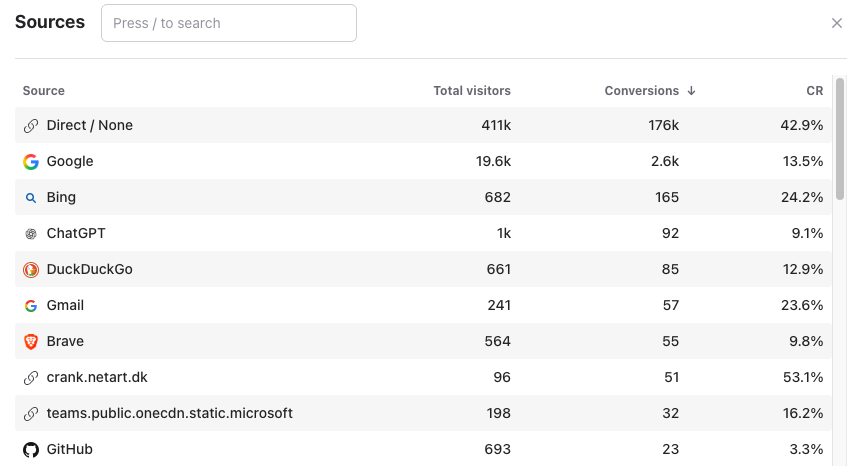
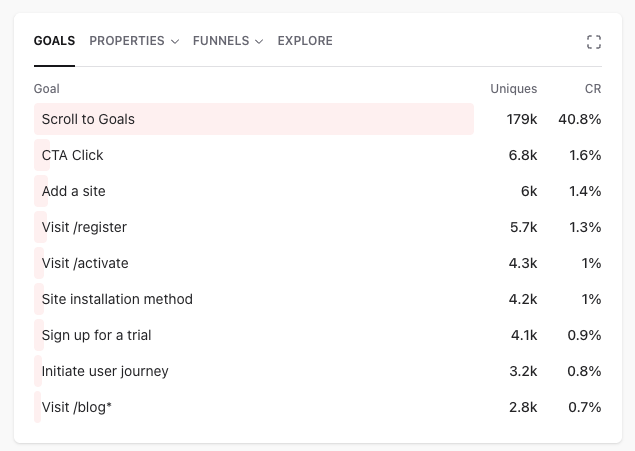
Goals and conversion funnels are also supported. Each goal shows how many unique visitors completed it and the resulting conversion rate, so you can see which marketing channels bring in visitors who actually sign up.
4. Fathom Analytics
Fathom is similar to Plausible in many ways: it's a simple alternative to Google Analytics. Neither Plausible nor Fathom uses cookies for tracking, so neither requires a cookie consent banner.
Unlike Plausible, Fathom is not open source. It includes unlimited websites on every plan and bundles basic uptime monitoring with the analytics product.
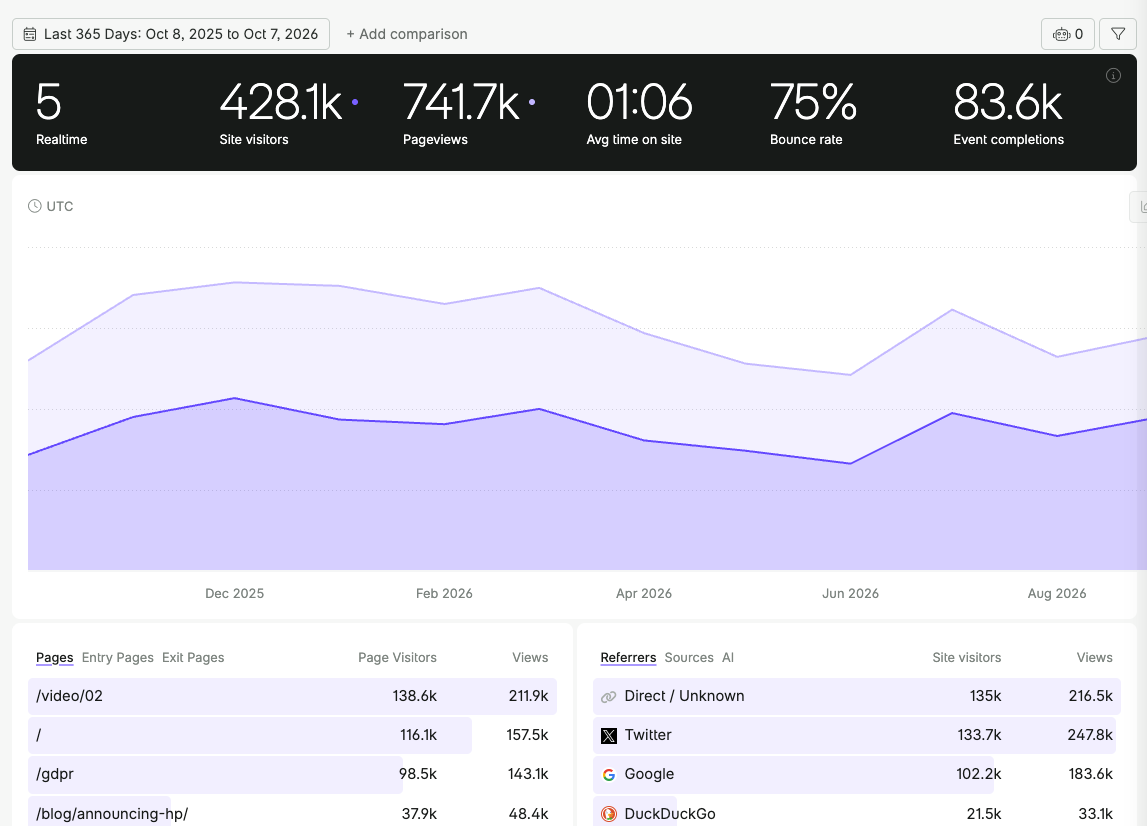
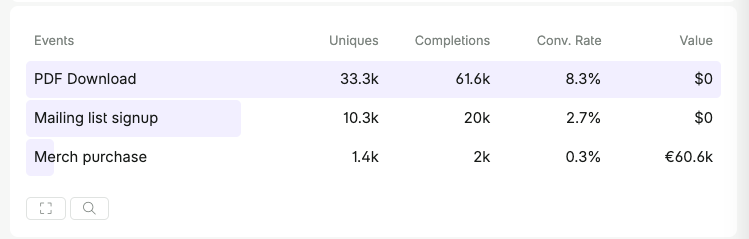
Fathom supports custom events and lets you record how much each transaction is worth to you. That way you can see not just how many conversions a page generates but what revenue it brings in.
5. Matomo
Matomo (formerly Piwik) is another tool that provides visitor analytics and marketing attribution data. The core product is open source, with paid addons and a hosted cloud version available.
It's more complex and full-featured compared to Plausible or Fathom. For example, you can select one of several attribution models like Last Non-Direct Channel or First Interaction.
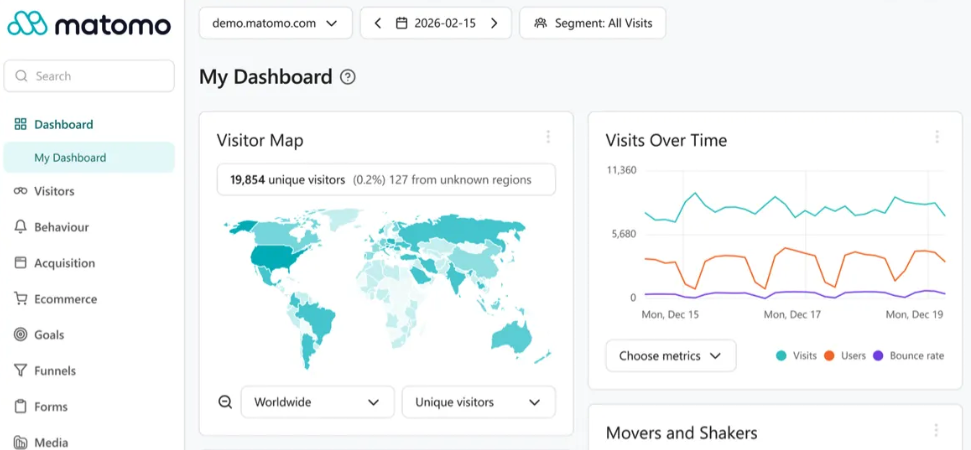
In addition to basic traffic reporting, Matomo provides session recordings, heatmaps, detailed funnel analysis, A/B testing insights, and more.
6. Umami
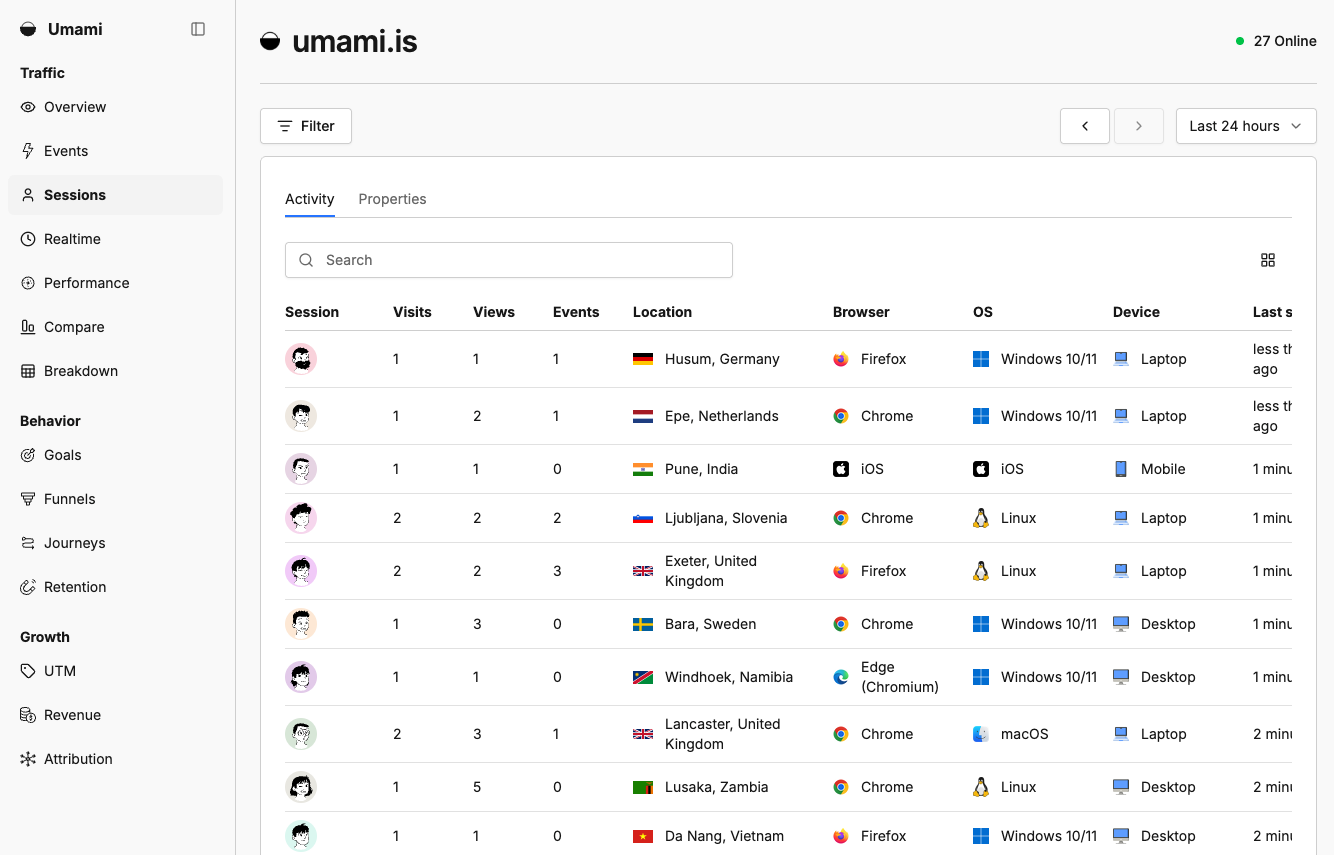
Umami analytics helps you measure your website traffic and analyze behavior, conversions, and visitor retention. It's open source under the MIT licence, so you can self-host it for free, or use the hosted Umami Cloud version.
Unlike Plausible or Fathom, Umami lets you view individual page views and user sessions in addition to the high-level analytics.
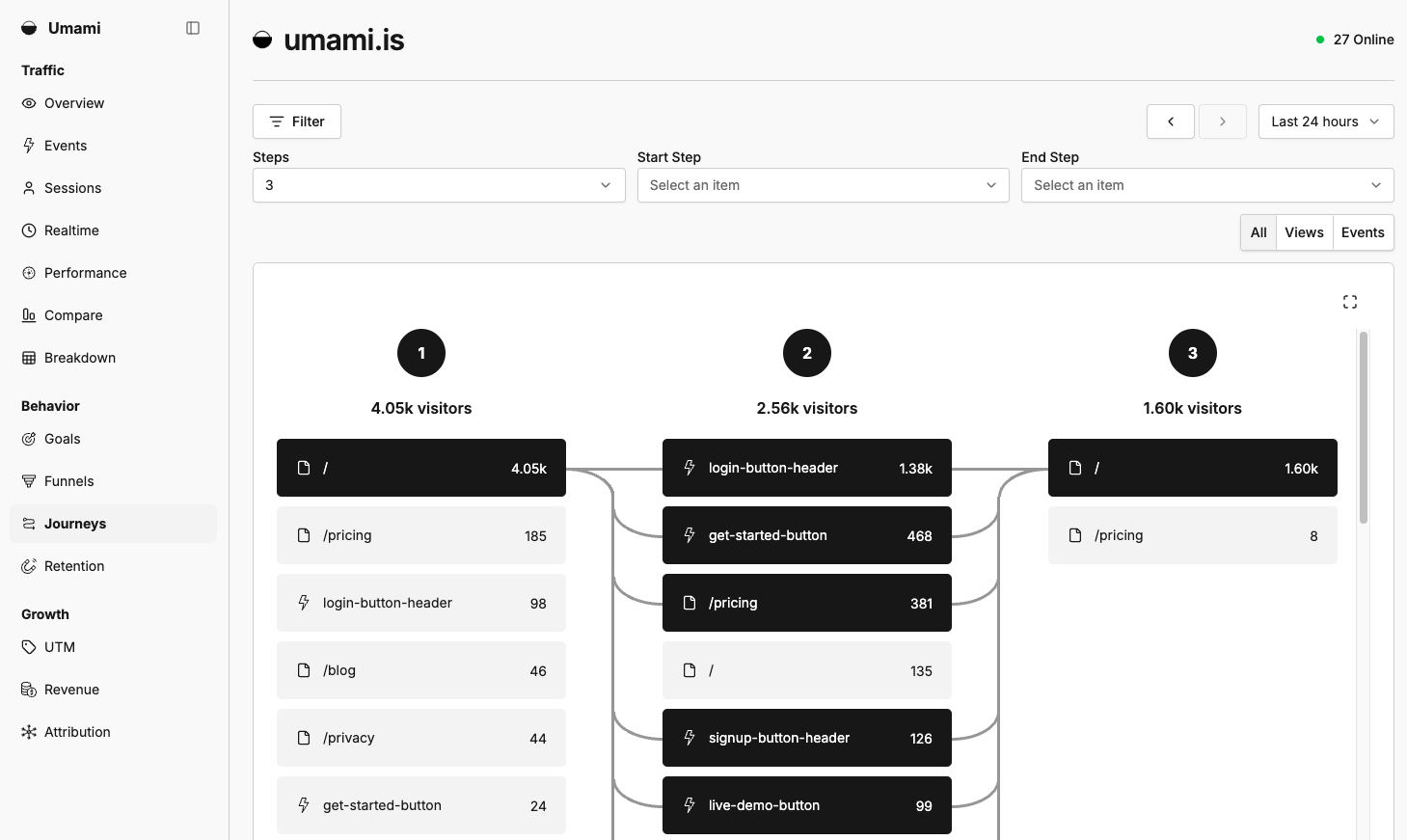
Umami's Journeys report shows how visitors actually navigate through your website. That helps you understand what information people are looking for and what pages are critical for conversions to the next step.
7. PostHog
PostHog is a product analytics platform that goes beyond simple web analytics. It's developer-focused, bundling session replay, error tracking, feature flags, A/B testing, and user surveys with the analytics product.
PostHog is open source and can be self-hosted. The hosted version has a generous free tier with usage-based pricing above that.
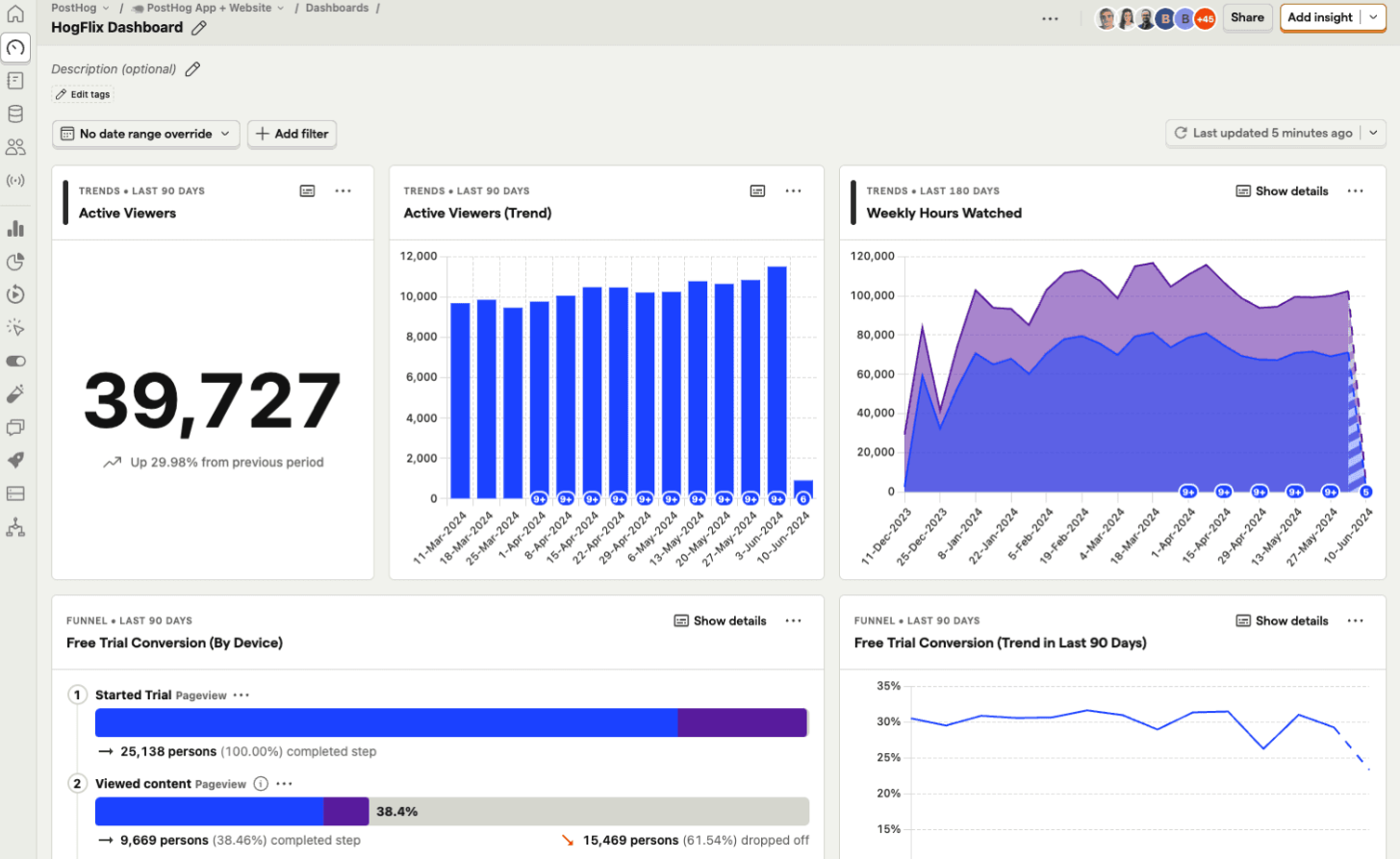
You get detailed insights into visitor sessions and behavior. PostHog provides AI-based analysis and can integrate with other data sources like Google Analytics or Stripe.
8. Mixpanel
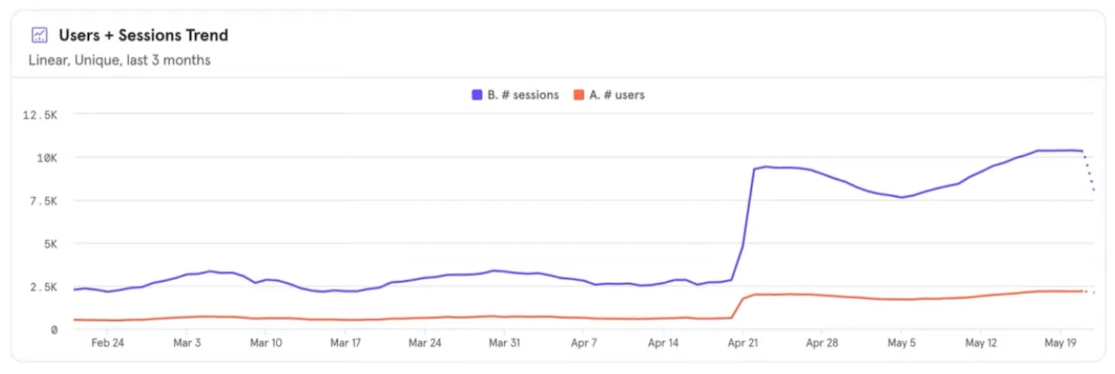
Like PostHog, Mixpanel focuses on detailed product analytics rather than traffic reporting. It's the established choice for funnel analysis, retention reports, and cohort comparisons, and is often used alongside a separate tool for marketing website traffic.
You can report custom events, track user journeys, and compare different visitor cohorts. There's a free tier, with paid plans priced by event volume.
How to choose a web analytics tool
When choosing an analytics tool for your website, ask yourself:
- Do you need a simple tool or do you want to configure complex workflows?
- Do you need just traffic analytics, or also product or web performance insights?
- Who will use the product? Marketers, developers, or both?
Plausible, Fathom, and Umami are great analytics tools for marketing websites where you mainly need traffic and conversion numbers.
DebugBear provides web analytics in a web performance context. That's great if you want to optimize the experience visitors have once they've landed on your website.
Google Analytics and Matomo are good for more established marketing teams that are willing to invest more into learning the tool and using its more advanced features.
PostHog or Mixpanel are good for more detailed and comprehensive insights, especially if you need data for your product as well as your marketing website.
Collect website analytics and performance data
DebugBear tells you about your visitors and how they experience your website. You can see where visitors come from, how fast your site loads for them, and what you can do to improve page speed and user interactions.
In addition to collecting real user visitor data, you can also run scheduled page speed tests and get alerted to performance regressions or website outages. Sign up for a free trial.
Monitor Page Speed & Core Web Vitals
DebugBear monitoring includes:
- In-depth Page Speed Reports
- Automated Recommendations
- Real User Analytics Data