”We deal with customers in Regional Western Australia where network speed is slow. RUM allows us to measure real experiences from our customers own eyes rather than guessing what the true value may be.“

Michael McGrady
Digital Marketing & Performance Specialist at Horizon Power
”DebugBear has transformed how we approach performance. Instead of guessing based on Google's aggregated data, we're making decisions based on what our actual users are experiencing in the moment.“

Ryan Sullivan
Chief of Staff at SiteCare
Monitor user experience with real visitor data
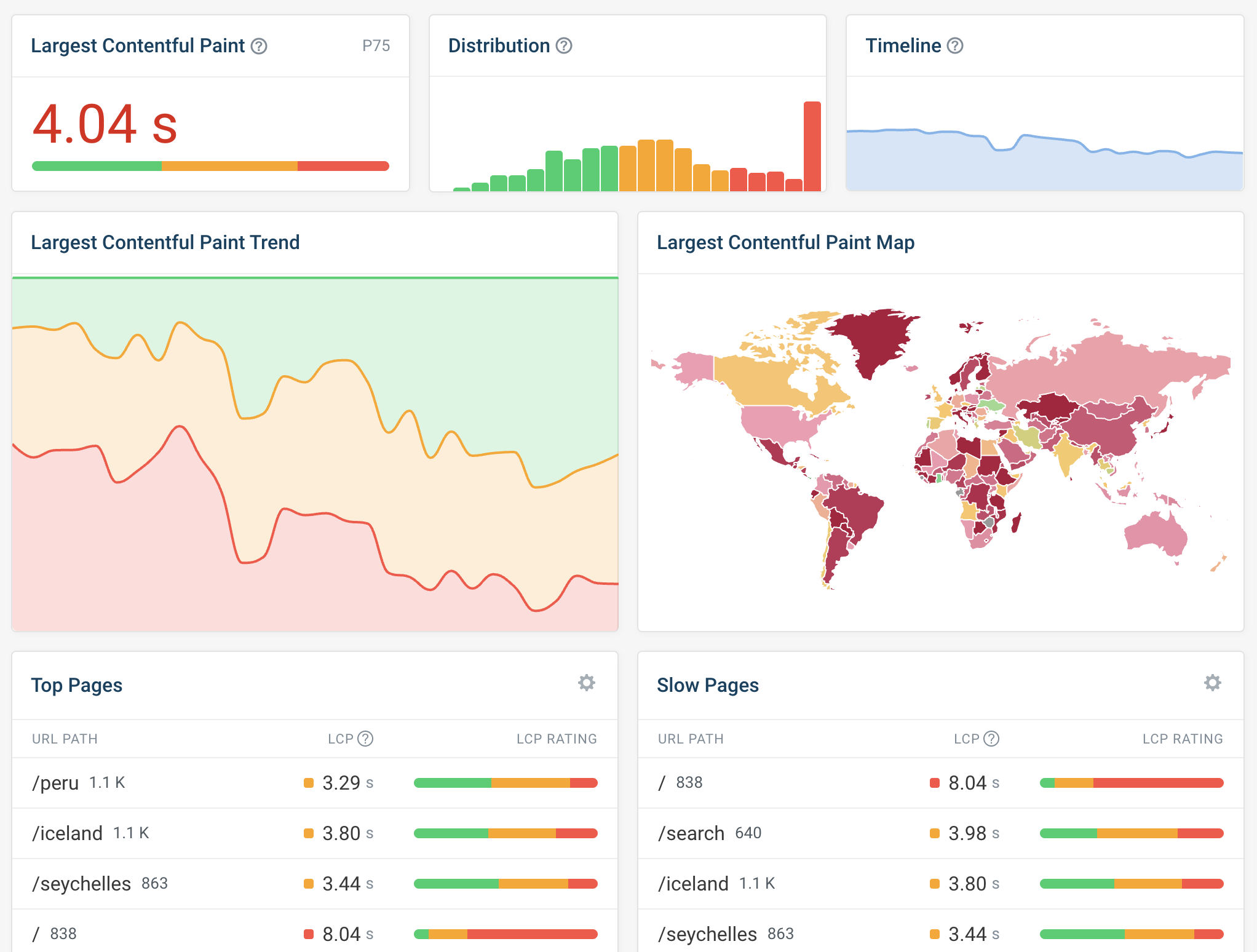
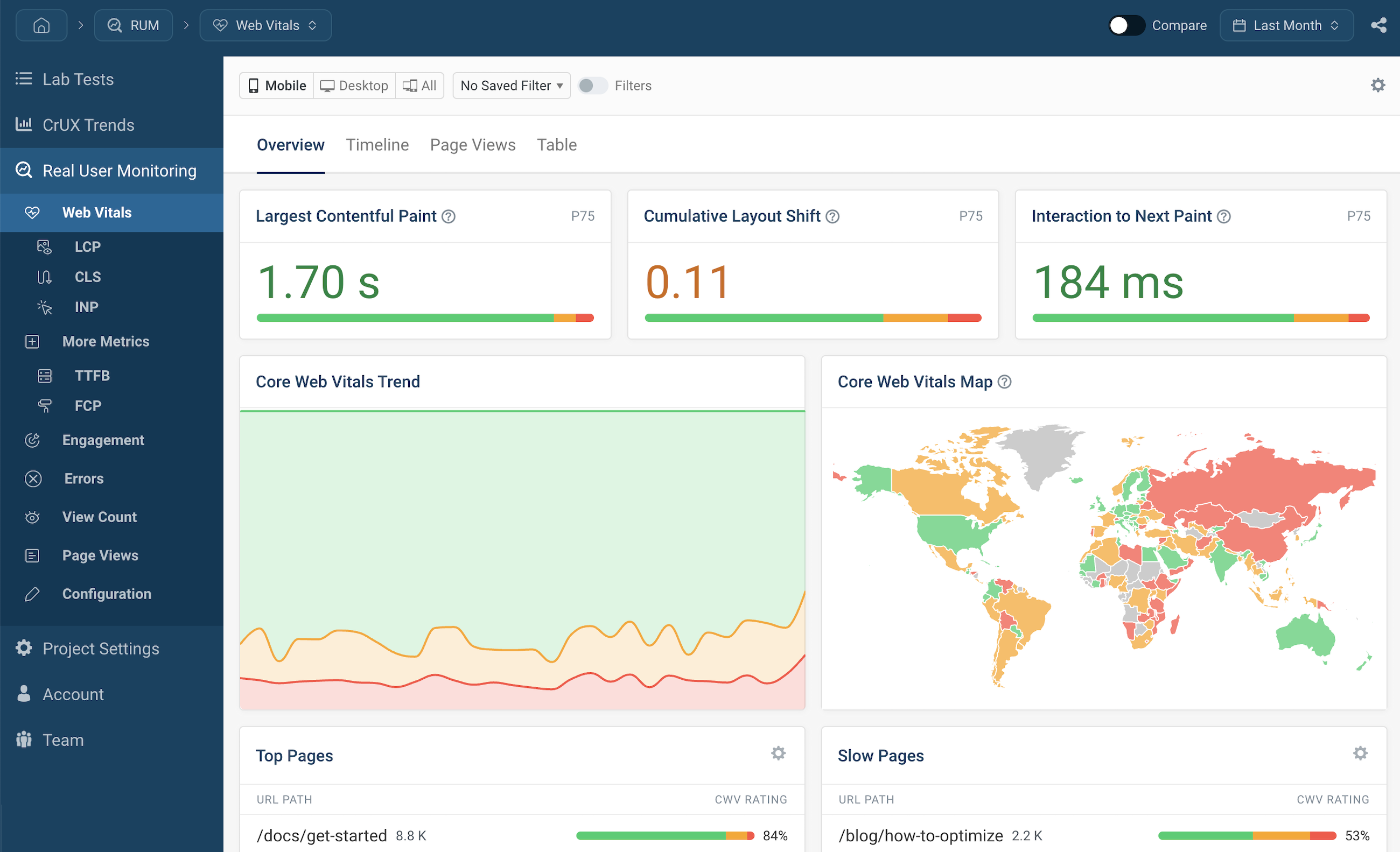
How do real visitors experience my website?
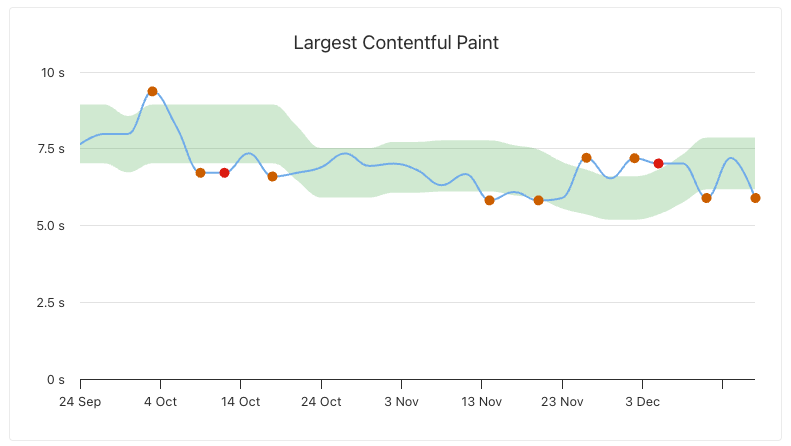
Track Core Web Vitals and other performance metrics to understand
user experience on your website. See trends over time and identify
when experience degrades.
Which pages need optimization?
Identify slow pages that are causing frustration for your visitors
and understand what page elements are responsible.
Are visitors converting?
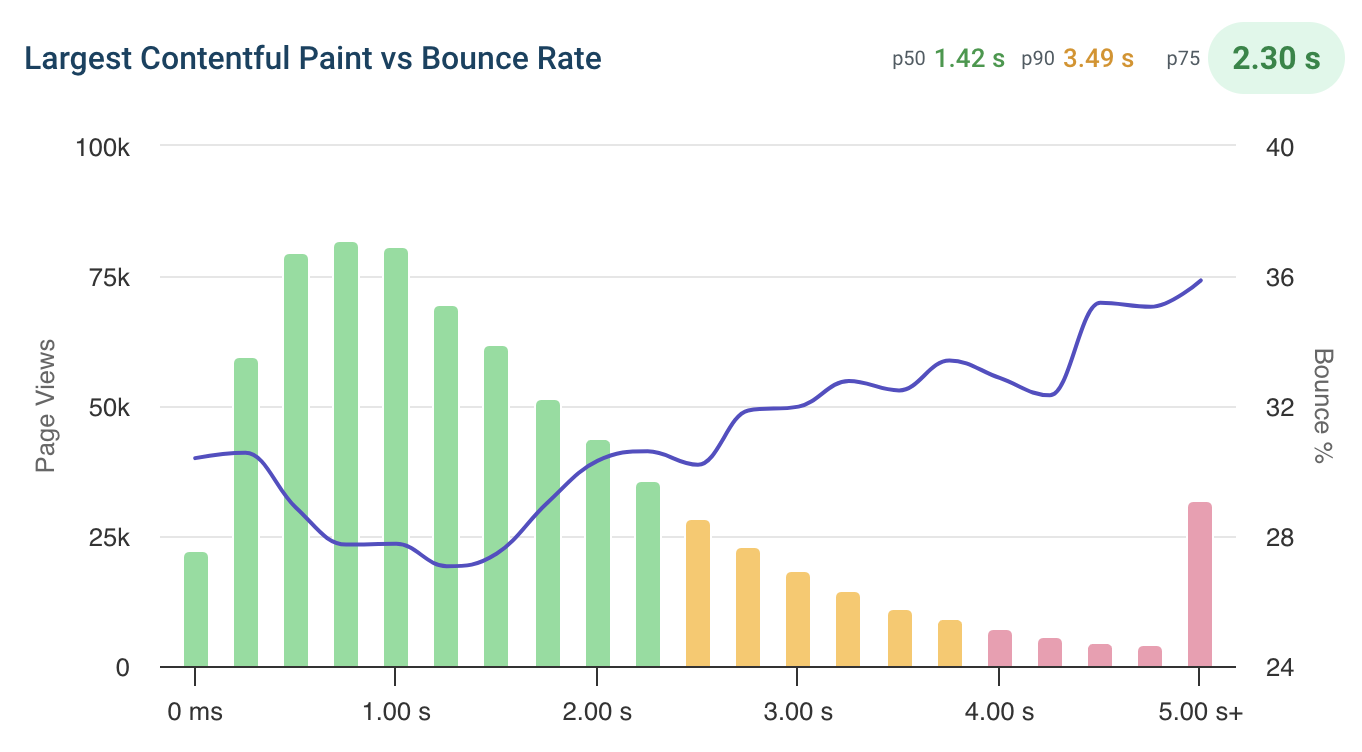
Correlate web performance with bounce rate and conversion rate.
Understand how performance impacts your bottom line.
Optimize interaction responsiveness
Track Interaction to Next Paint (INP)
INP measures how quickly your website responds to user interactions.
DebugBear helps you identify what's causing slow interactions.
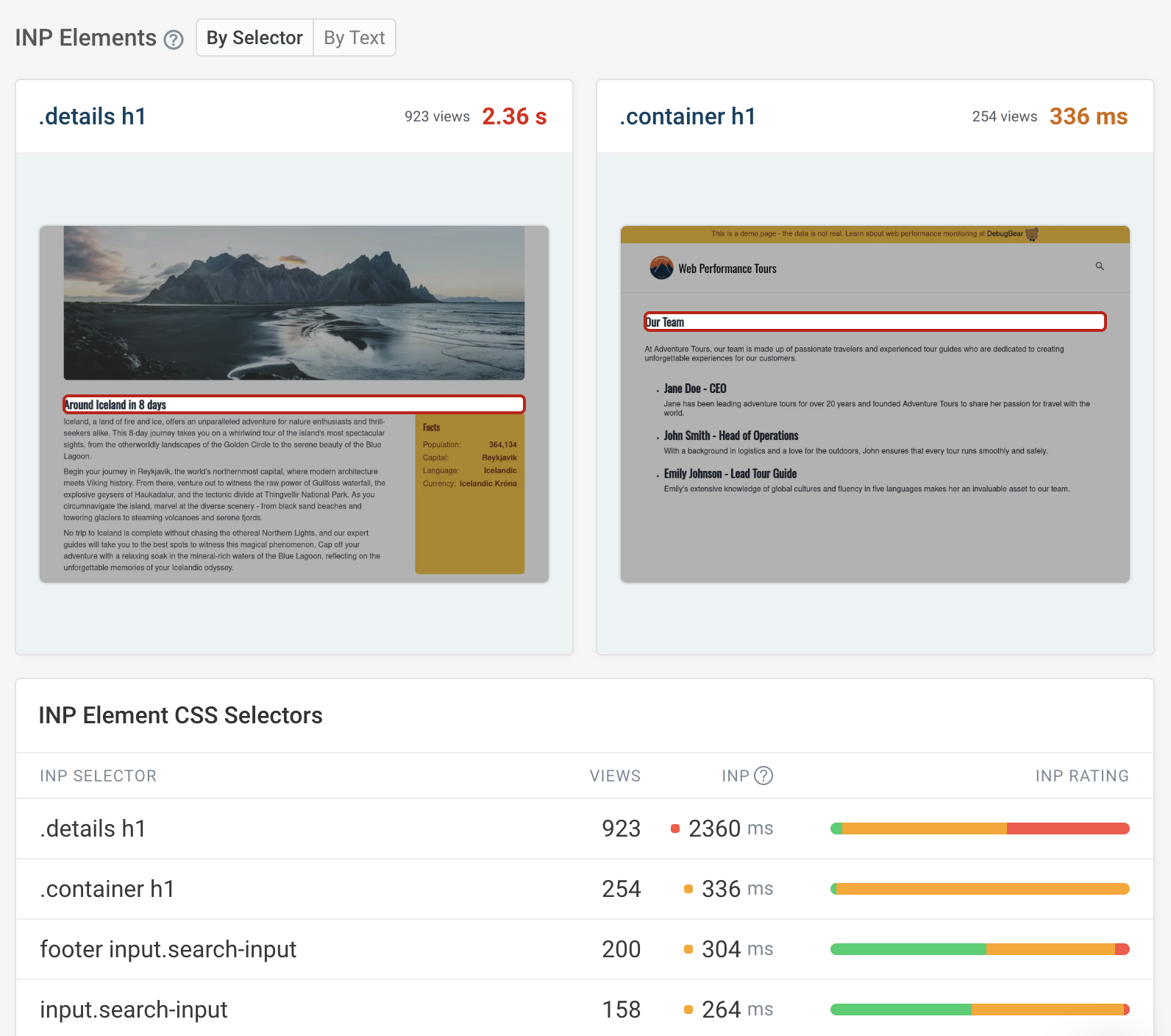
Identify problematic UI elements
See what buttons, links, and other interactive elements
are most often responsible for poor responsiveness.
Analyze script performance
Understand what JavaScript code is delaying user interactions
and causing a frustrating experience.
Improve page loading speed
Track Largest Contentful Paint (LCP)
LCP measures how quickly the main content of your page appears.
Monitor this critical metric across all your pages.
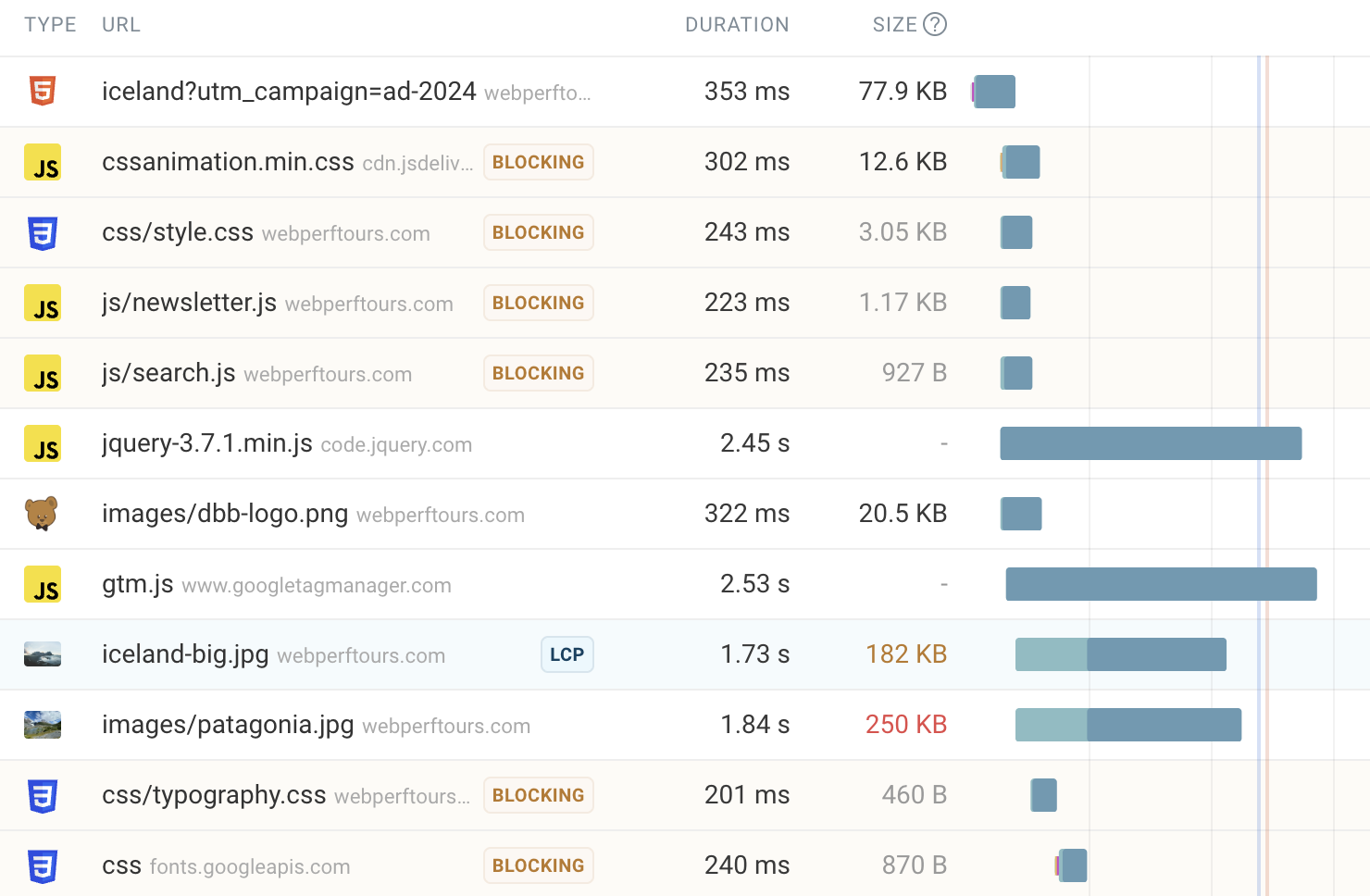
Understand what slows down loading
Use request waterfalls to see what resources are needed
to display your content and how long they take to load.
Break down the loading process
Analyze LCP subparts to understand whether server response time,
resource loading, or rendering is holding back your pages.
Ensure visual stability
Track Cumulative Layout Shift (CLS)
Layout shift happens when content moves around after it has rendered.
This can cause users to click on the wrong thing or lose their place on the page.
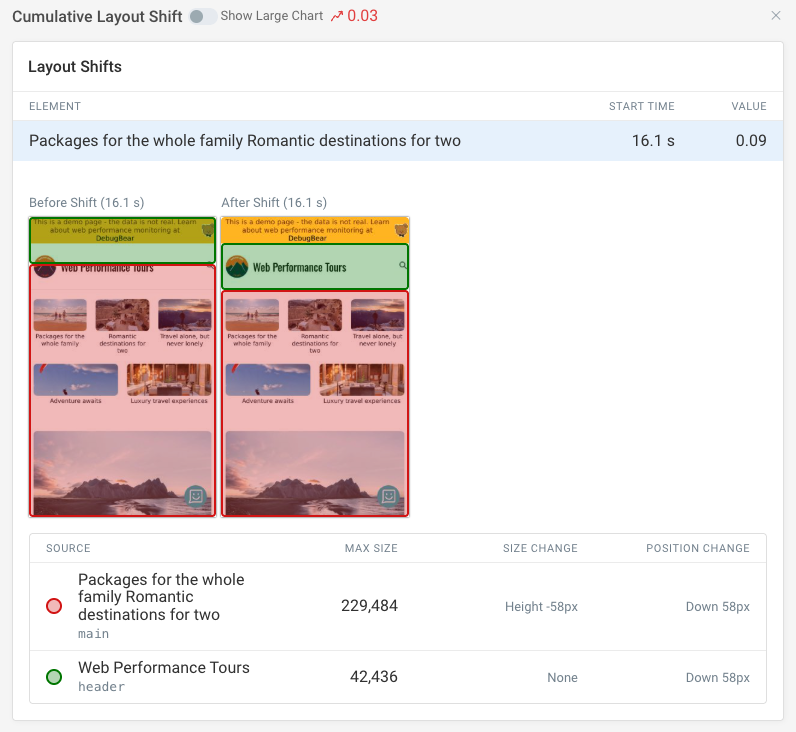
Identify what causes layout shift
See what elements are moving and understand why.
Fix issues caused by images without dimensions, dynamic content, or web fonts.
Correlate UX with business outcomes
Link speed to engagement
See how page speed impacts bounce rate and user engagement.
Understand the business case for performance optimization.
Segment by user groups
Tag page views and analyze experience for different user segments.
Track custom metrics that matter to your business.
Understand global user experience
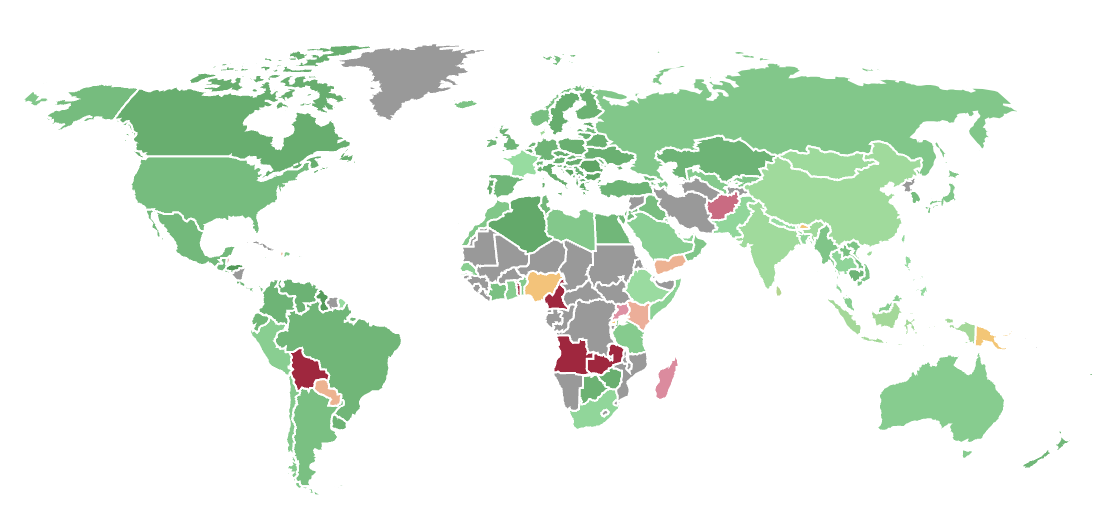
Geographic performance insights
See how website experience varies across different countries and regions.
Identify where users are having the worst experience.
Device and network breakdown
Understand how experience differs between mobile and desktop users,
and between fast and slow network connections.
Investigate individual user sessions
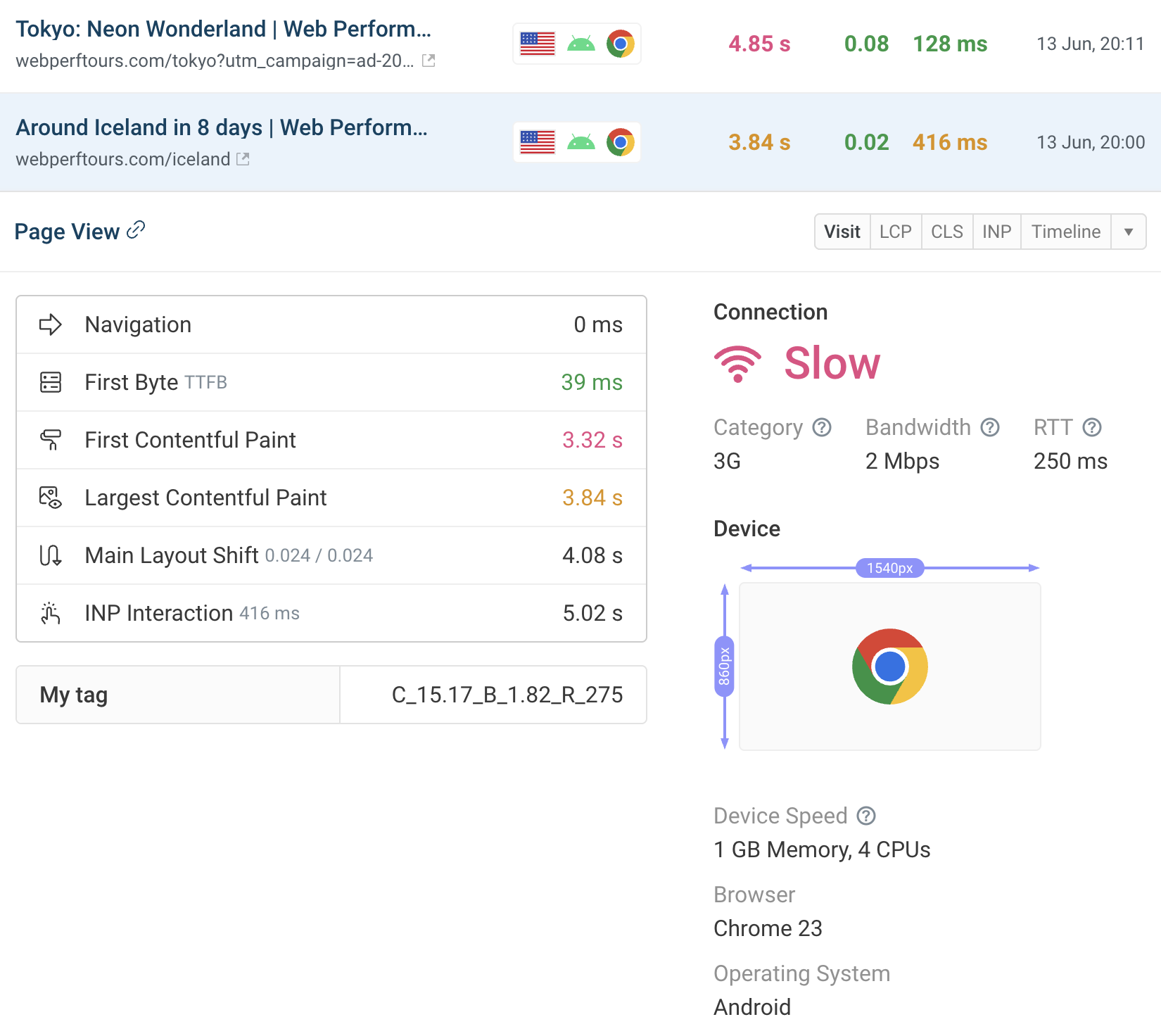
Review specific page views
Get detailed reports for individual page visits to understand
exactly what happened and why the experience was slow.
Timeline and waterfall views
Inspect each stage of the loading process and see
how the user interacted with the page.
Replicate issues locally
Get detailed device and user journey details to
reproduce issues in your development environment.
Get alerted to UX regressions
Custom alert thresholds
Define thresholds for Core Web Vitals and other metrics.
Get notified when user experience degrades.
Multiple notification channels
Receive alerts via email, Slack, or Microsoft Teams.
Integrate with your existing workflow.
Combine real user data with lab tests
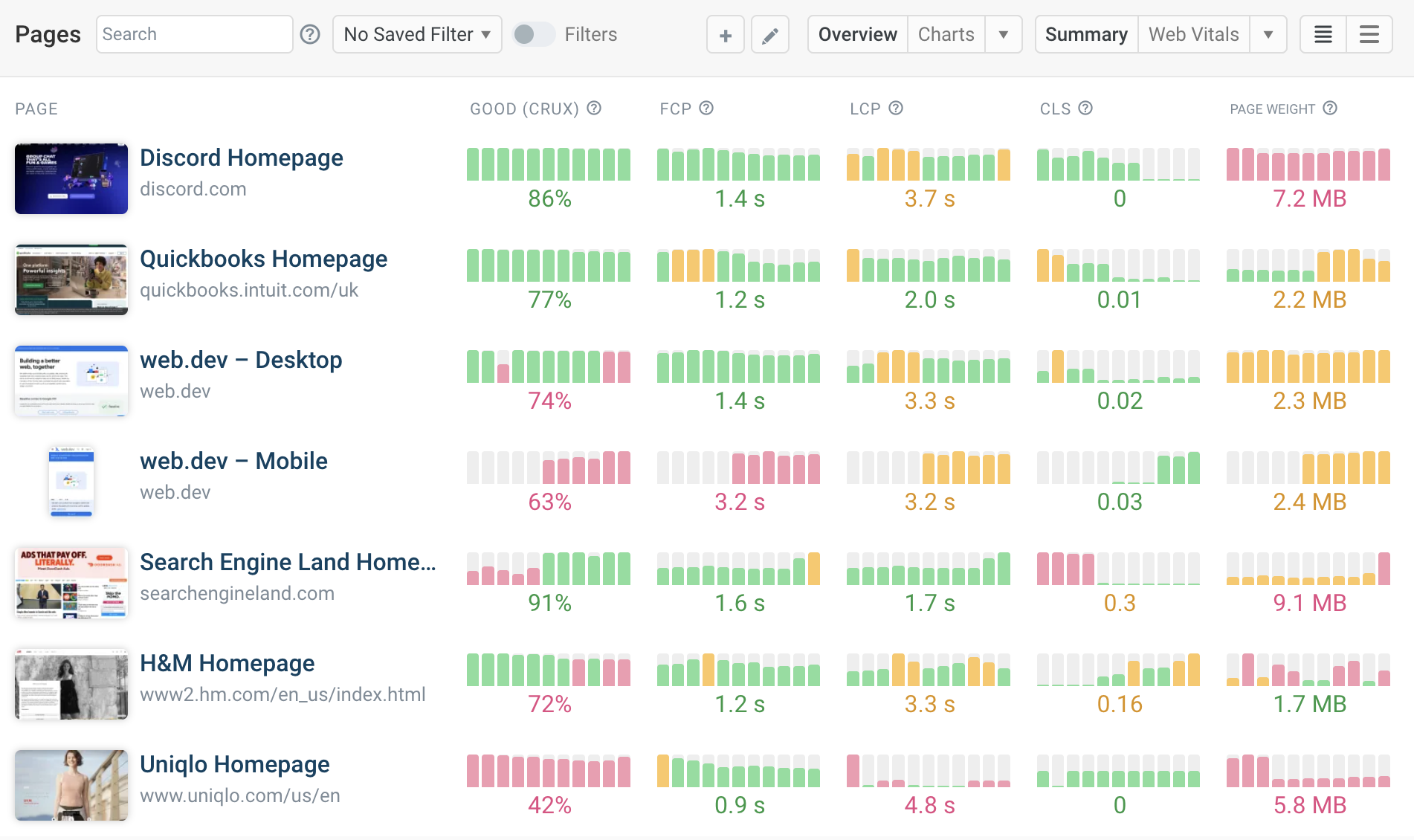
Synthetic monitoring
Run scheduled lab tests to detect regressions before they impact users.
Get detailed reports and optimization recommendations.
Google CrUX data
Track the data Google uses for search rankings.
Compare your performance against competitors.