
React provides a rich set of hooks that make it easier to manage state, side effects, and component logic in functional components. Hooks brought many features previously exclusive to class components into a simpler, more composable API—without the boilerplate and complexity of classes.
Among these hooks, useMemo and useCallback are specifically designed to help with performance optimization. They are powerful tools, but also commonly misunderstood and overused.
In this article, we’ll explore:
- Why performance issues occur in React apps
- How
useMemoanduseCallbackwork - Realistic examples of when they help
- When not to use them
- How they differ and how they work together
Why Performance Issues Happen in React
React re-renders a component whenever its state or props change. This behavior is intentional and usually very fast. Problems arise when re-renders cause unnecessary or expensive work, such as:
- Heavy data transformations
- Re-rendering memoized child components
- Recreating functions and objects on every render
- Large component trees updating too frequently
useMemo and useCallback help reduce this unnecessary work by memoizing values and functions.
What Is Memoization?
Memoization is a technique that caches the result of a computation and reuses it when the inputs haven’t changed.
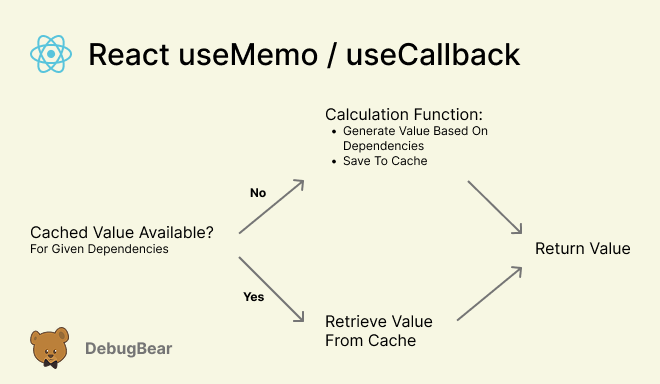
React provides two hooks for this purpose:
useMemo→ memoizes valuesuseCallback→ memoizes functions
They both help React avoid unnecessary work and also ensure objects remain identical between renders, preventing unnecessary React re-renders.
The useMemo Hook
The useMemo hook memoizes the result of a computation between renders. Memoization means caching a value so that it does not need to be recalculated unless its dependencies change.
Why does useMemo exist? Any variable declared inside a component is recreated on every render. If that variable stores the result of a function call, the function runs again, even if its inputs didn't change. For cheap operations, this doesn't matter. But for expensive computations, it can noticeably slow down your UI.
Expensive Data Transformation Example
Consider a component that displays a list of products. Before rendering, the data must be filtered, sorted, and formatted.
function ProductList({ products }) {
  const [theme, setTheme] = useState("light");

  const visibleProducts = products
    .filter((p) => p.inStock)
    .sort((a, b) => a.price - b.price)
    .map((p) => ({
      ...p,
      label: `${p.name} ($${p.price})`,
    }));

  return (
    <>
      <button
        onClick={() => setTheme((t) => (t === "light" ? "dark" : "light"))}
      >
        Toggle theme
      </button>

      <ul>
        {visibleProducts.map((p) => (
          <li key={p.id}>{p.label}</li>
        ))}
      </ul>
    </>
  );
}
Toggling the UI theme causes problems:
- It has nothing to do with product data, but still re-runs
filter,sort, andmap - It becomes expensive with large datasets
Optimizing with useMemo
We can optimize this code by replacing the visibleProducts like following:
const visibleProducts = useMemo(() => {
  return products
    .filter((p) => p.inStock)
    .sort((a, b) => a.price - b.price)
    .map((p) => ({
      ...p,
      label: `${p.name} ($${p.price})`,
    }));
}, [products]);
Thanks to that change:
- The computation runs only when
productschanges - UI-related state updates no longer trigger heavy work
- Rendering becomes more predictable and efficient
When to Use useMemo
useMemo is useful when:
- You perform expensive calculations
- You transform large arrays or objects
- You need stable object or array references
- Derived data should only change with specific inputs
However, you should avoid useMemo when:
- Calculations are cheap
- Values are simple primitives
- There's no measurable performance issue
The useCallback Hook
While useMemo memoizes values, useCallback memoizes functions.
In JavaScript, functions are objects. When a component re-renders, every function declared inside it is recreated with a new reference, even if the implementation is identical.
This matters when functions are passed as props to child components, used as dependencies in useEffect, or compared by reference (React.memo).
Unnecessary Child Re-Renders Example
Let’s take a look at the following example of when a child component is unnecessary re-rendered:
const SubmitButton = React.memo(({ onSubmit }) => {
  console.log("SubmitButton rendered");
  return <button onClick={onSubmit}>Submit</button>;
});

function Form() {
  const [email, setEmail] = useState("");
  const [status, setStatus] = useState("idle");

  const handleSubmit = () => {
    setStatus("submitting");
  };

  return (
    <>
      <input value={email} onChange={(e) => setEmail(e.target.value)} />

      <SubmitButton onSubmit={handleSubmit} />
    </>
  );
}
Even though SubmitButton is wrapped in React.memo, it still re-renders when:
- The user types in the input
Formre-renders- A new
handleSubmitfunction is created
React sees the new function reference as a prop change.
Optimizing with useCallback
We can optimize this code with useCallback like following:
const handleSubmit = useCallback(() => {
  setStatus("submitting");
}, []);
Now, the function reference remains stable, SubmitButton does not re-render unnecessarily, and performance improves as the component tree grows.
A recommended pattern when using useCallback is to prefer functional state updates:
const incrementAttempts = useCallback(() => {
  setAttempts((a) => a + 1);
}, []);
With this approach, you avoid stale closures, keep dependency arrays minimal, and make callbacks easier to memoize correctly.
Because the function-based state update receives the current value as an argument we do not need to include the current attempts value in the list of dependencies.
When to Use useCallback
Use useCallback when:
- Passing callbacks to memoized child components
- Using functions inside dependency arrays
- Returning functions from custom hooks
But avoid it when:
- Functions are not passed or reused
- There's no render-performance concern
useMemo vs useCallback: using the right hook
Both hooks can help avoid unnecessary React rendering work. useMemo is for memoizing values, while useCallback is for memoizing functions.
To summarize what useMemo and useCallback hooks are and when they should be used, refer to the following table:
| Hook | What it Memoizes | Primary Use Case |
useMemo | Computed values | Avoid expensive recalculations |
useCallback | Function references | Avoid unnecessary re-renders |
It will help you remember which hook should be used to optimize which problem.
Further Reading: Vercel React Performance Rules
For developers looking for practical, real-world guidance on React performance, Vercel maintains an open-source resource called Agent Skills. It contains opinionated React performance rules used by modern teams and AI coding agents.
The React best practices section covers topics such as:
- When and how to use
useMemoanduseCallback - How to avoid unnecessary re-renders
- Proper use of functional state updates
- Common memoization anti-patterns
Check out the rules on extracting memoized components and using functional state updates.
Best Practices for optimizing react performance
Use the following best practices to optimize and improve performance of your React application:
- Measure before optimizing
- Use the React DevTools Profiler
- Fix unnecessary renders at the source
- Treat memoization as a precision tool—not a default
Check out our in-depth guide on improving React application performance to learn more!
Summary
useMemo and useCallback are not performance silver bullets—but when used correctly, they can significantly improve the responsiveness of React applications.
Key Takeaways:
useMemomemoizes valuesuseCallbackmemoizes functions- Use them only when there’s a real performance benefit
- Measure first, optimize second
Mastering these hooks will help you write faster, cleaner, and more maintainable React code.
Get performance insights for your React app
DebugBear is a web performance monitoring tool that helps you measure user experience on your website and identify performance issues and what can be done to fix them.
Find slow pages and other performance issues across your website using real user monitoring. Run scheduled synthetic performance tests to get detailed page speed optimizations and monitor Lighthouse scores over time.
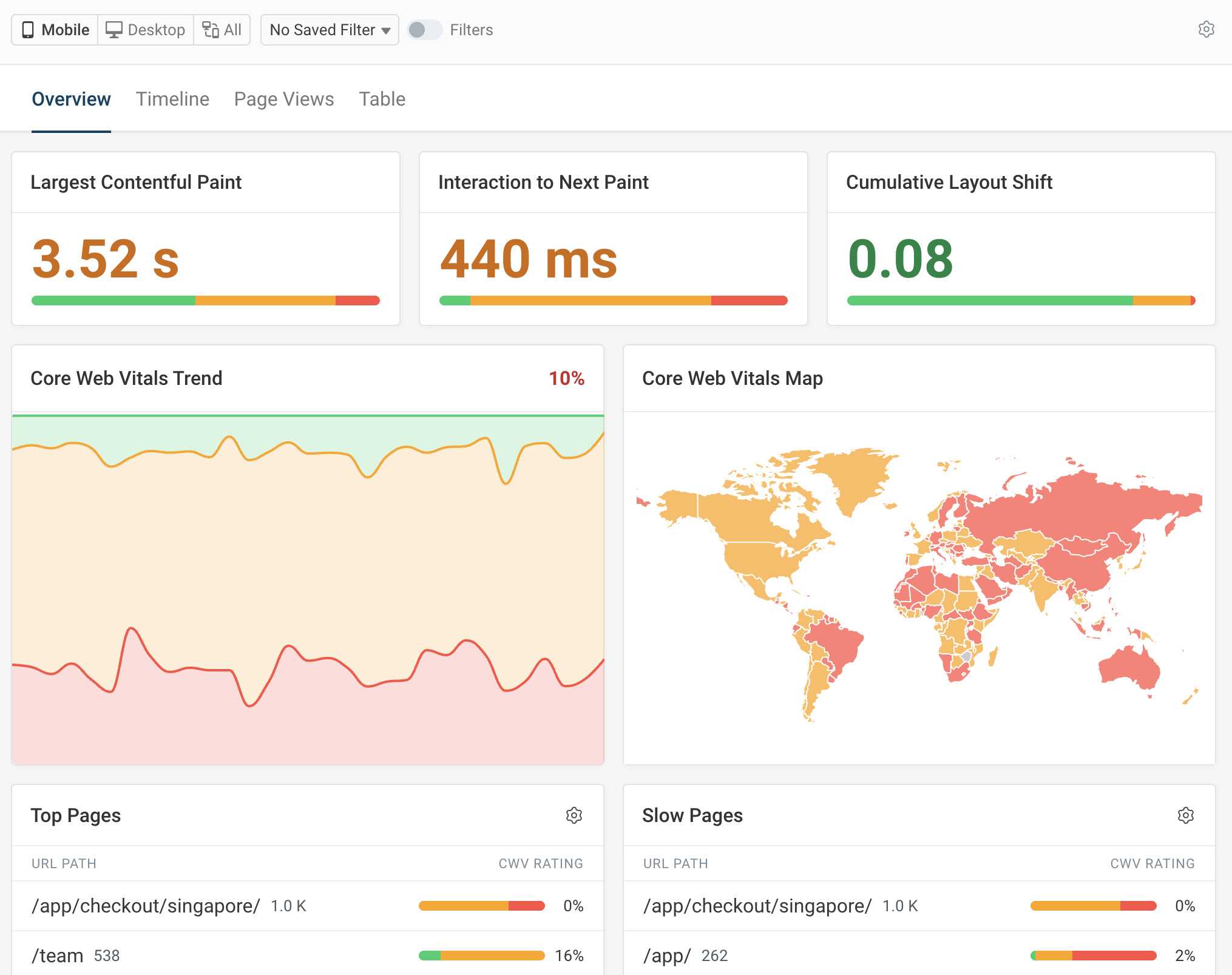
DebugBear also provides detailed reports on what's causing pages to load slowly or what scripts are responsible for poor Interaction to Next Paint (INP) scores.
Sign up for a free trial to analyze your React application's performance today and deliver a better user experience.
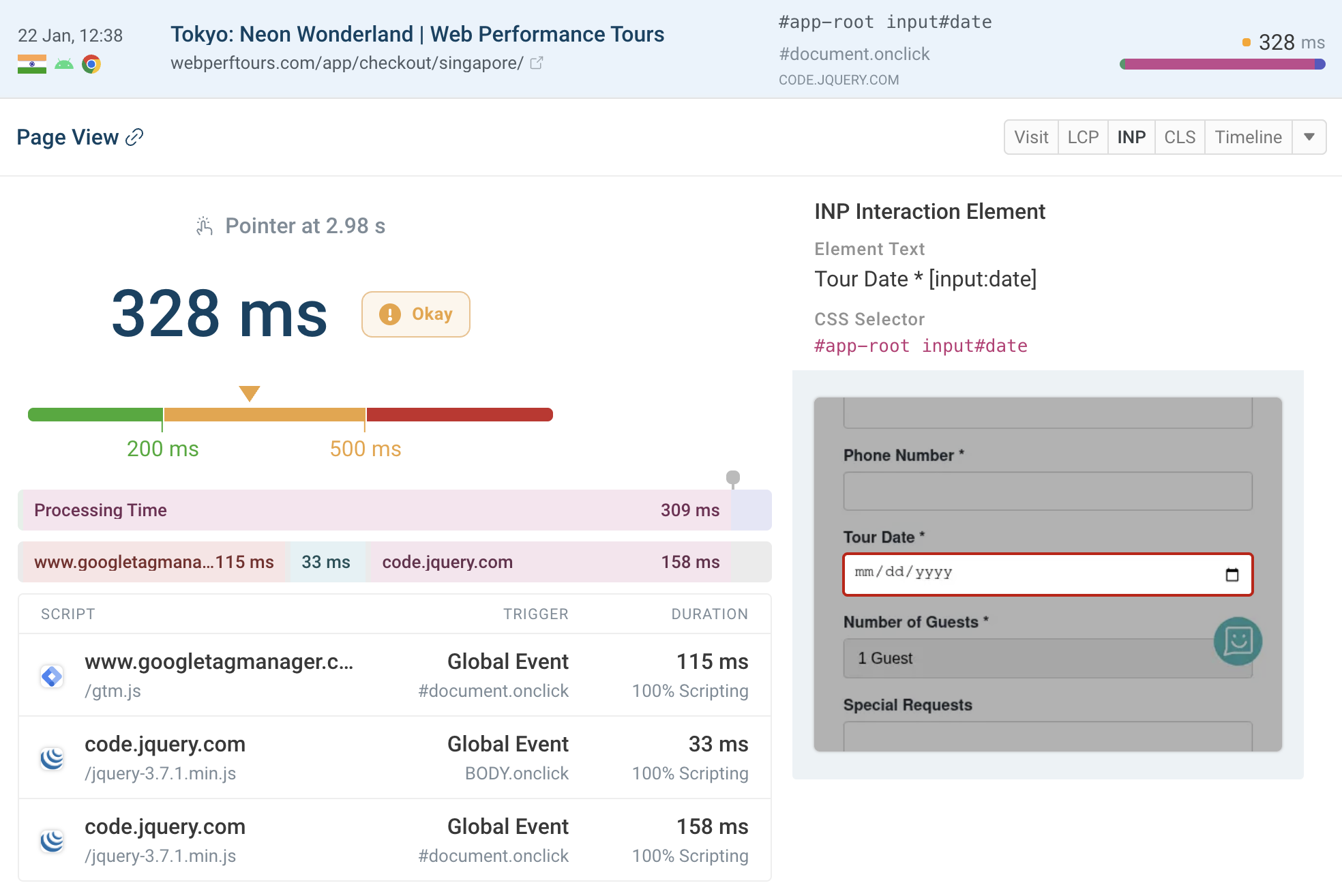


Monitor Page Speed & Core Web Vitals
DebugBear monitoring includes:
- In-depth Page Speed Reports
- Automated Recommendations
- Real User Analytics Data