
Lighthouse 13.3 came out this week, and includes a new category called "Agentic Browsing". Let's take a look at the new audits included in this category.
What is the agentic browsing category?
While Lighthouse has always primarily been a performance testing tool, it also includes other website quality checks looking at website accessibility, SEO, and other best practices.
The new category runs several checks to see how AI agents can interact with your website.
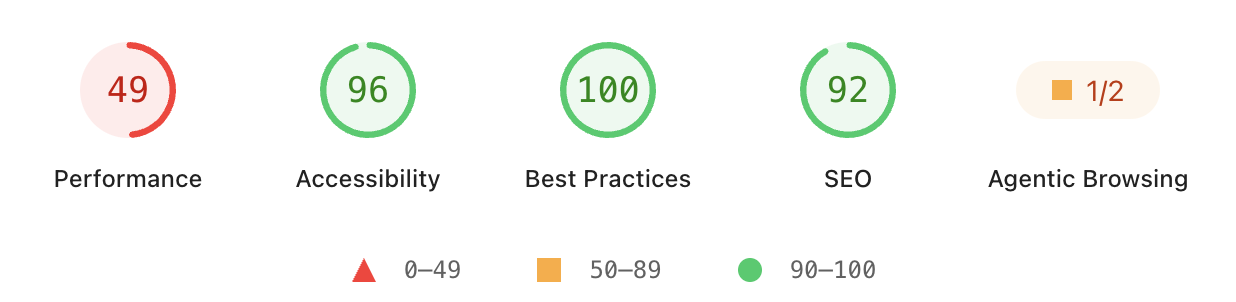
The agentic browsing category in the Lighthouse report runs several audits checking:
- That the website accessibility tree is well-formed
- Whether content shifts after rendering
- Correct WebMCP implementation
- llms.txt guidelines
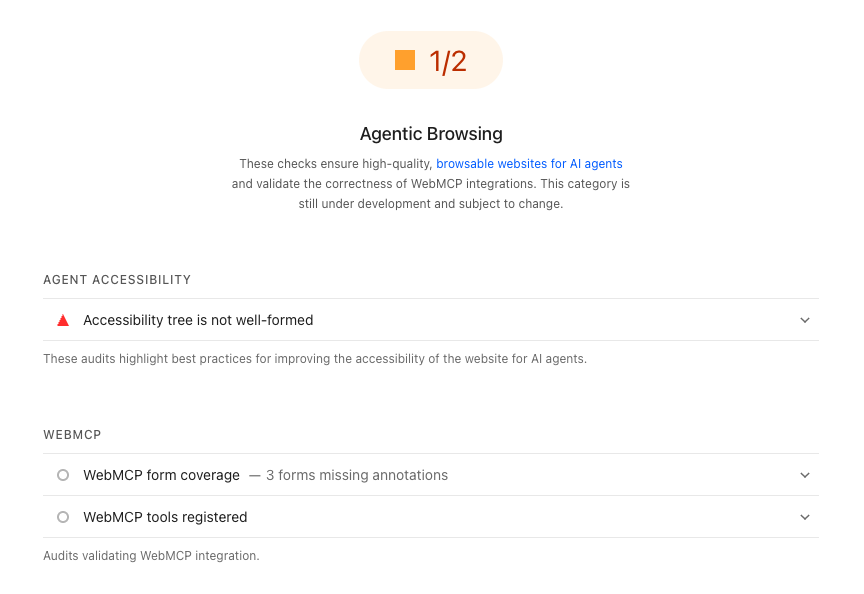
Two important caveats
The agentic browsing category is currently still marked as "under development". There's still a lot of uncertainty about what websites need to focus on in order for AI agents to use them effectively.
Also, you won't fail this category just because you haven't integrated new AI features. example.com gets a green 2/2 score!
How to check your agentic browsing score
You can either test your website using an online tool or run Lighthouse on your own device.
Online testing tools
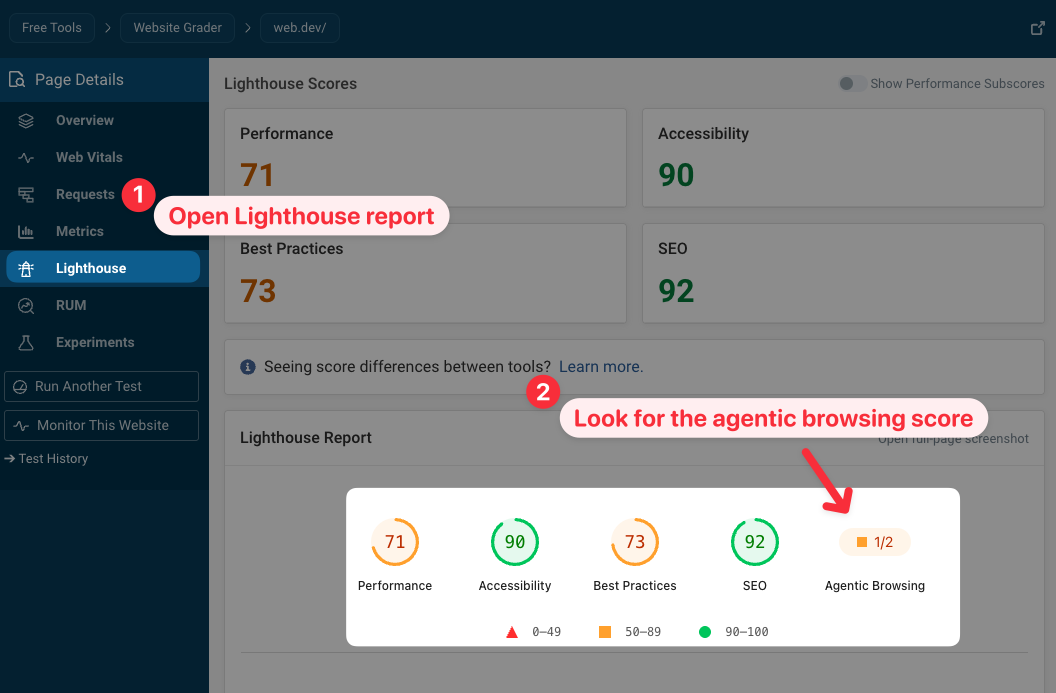
To check your own website you can use the free DebugBear website quality checker:
- Enter your website URL and run a test
- Open the Lighthouse tab in the sidebar
PageSpeed Insights and Chrome DevTools still use an older version of Lighthouse, but this should change in the coming months.
Locally on your own computer
To test your website locally from your own computer you can use the Lighthouse command line tool:
- Install the latest version of Lighthouse:
npm install -g lighthouse@latest - Run a test, e.g.
lighthouse --view https://web.dev/
Building agent-friendly websites
Google recently published a guide on how to build agent-friendly websites and there is some overlap between the new Lighthouse checks and the recommendations in the article.
One key take-away from the guide is that AI agents interact with website content in different formats:
- Screenshots
- HTML code
- The accessibility tree
What checks does the agentic browsing category actually run?
What AI agent issues can Lighthouse actually detect? The new category combines existing report data with several new audits.
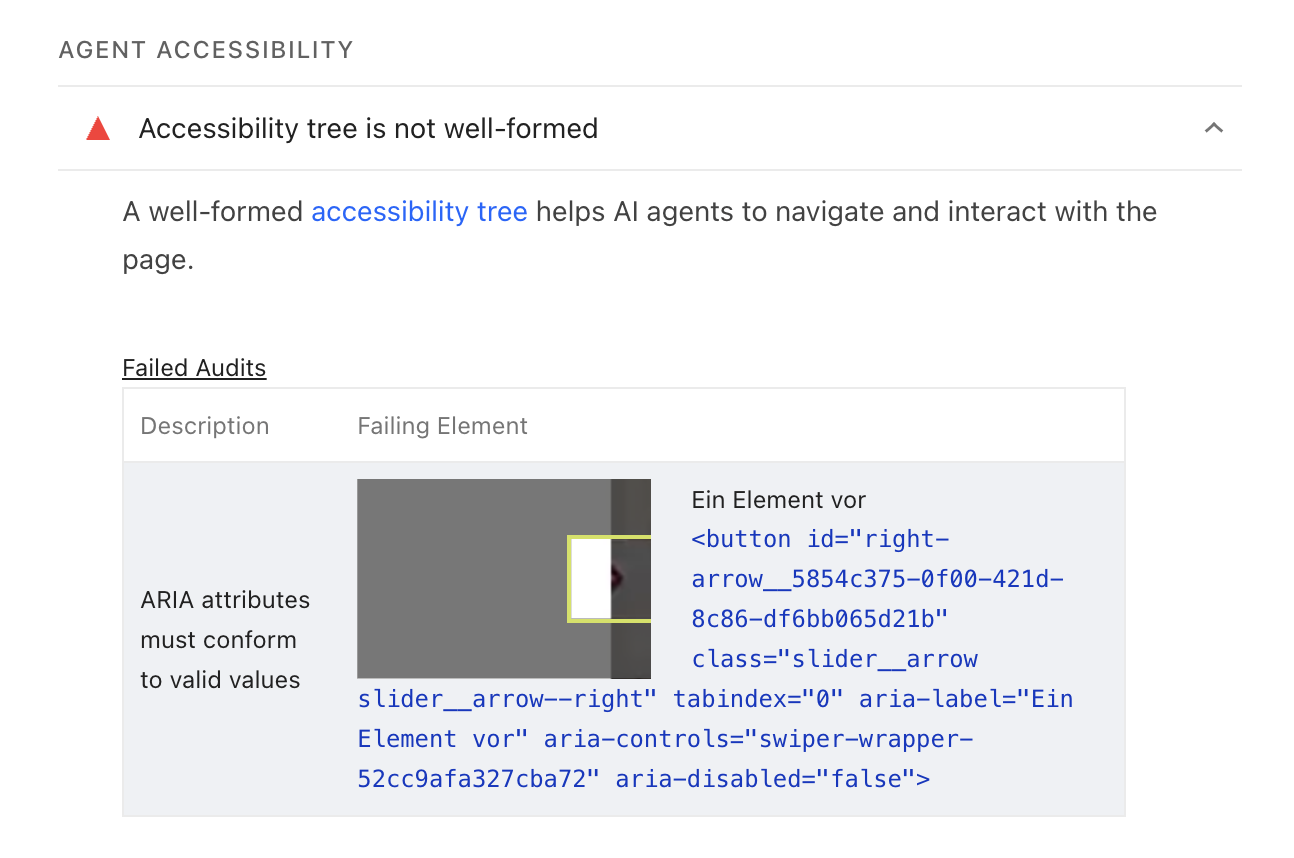
Accessibility tree is not well-formed
The accessibility tree is a simplified representation of the page structure that is used by accessibility tools and AI agents. This audit data is based on the existing accessibility checks run by Lighthouse.
AI agents can process the accessibility tree more efficiently compared to the full HTML code or a website screenshot.
WebMCP validation
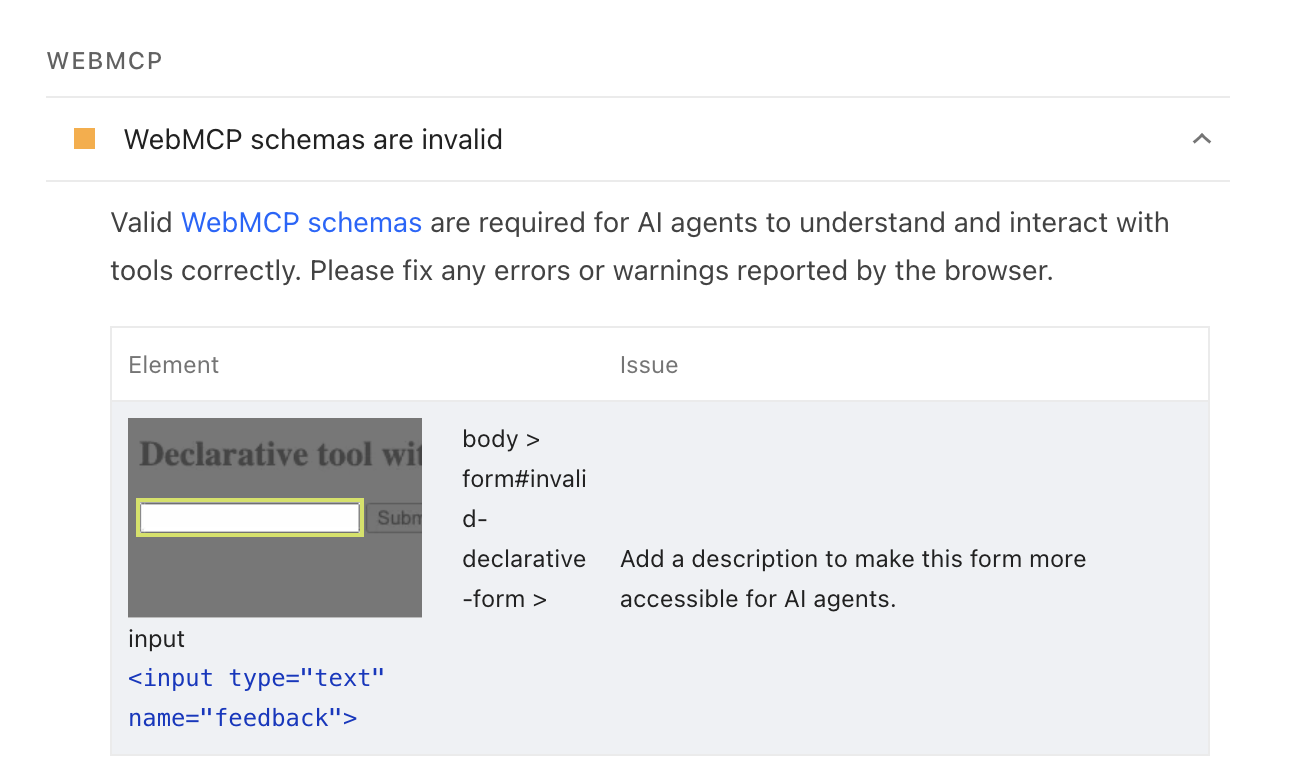
WebMCP is an API that lets websites provide specific commands that agents can use to interact with them. Unlike general MCP servers, WebMCP is built for front-end interactions in the context of the visitor's browser session.
There's a declarative version of the API based on annotating HTML forms on the page. The WebMCP audit checks whether forms are annotated and if the annotations match the expected schema.
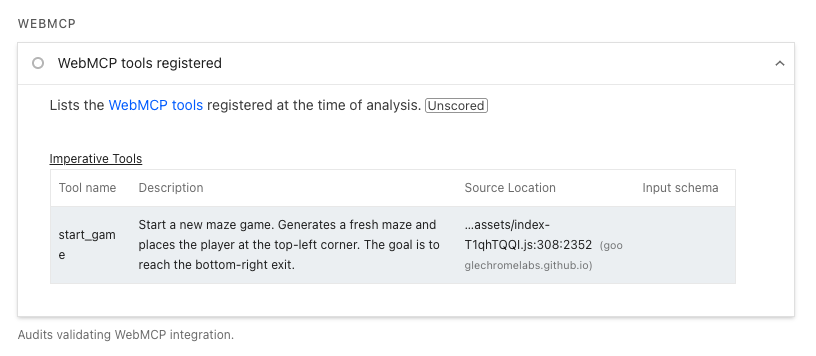
Lighthouse also surfaces all WebMCP tools that have been registered on the page, whether they were added through the declarative API or programmatically with navigator.modelContext.registerTool.
llms.txt does not follow recommendations
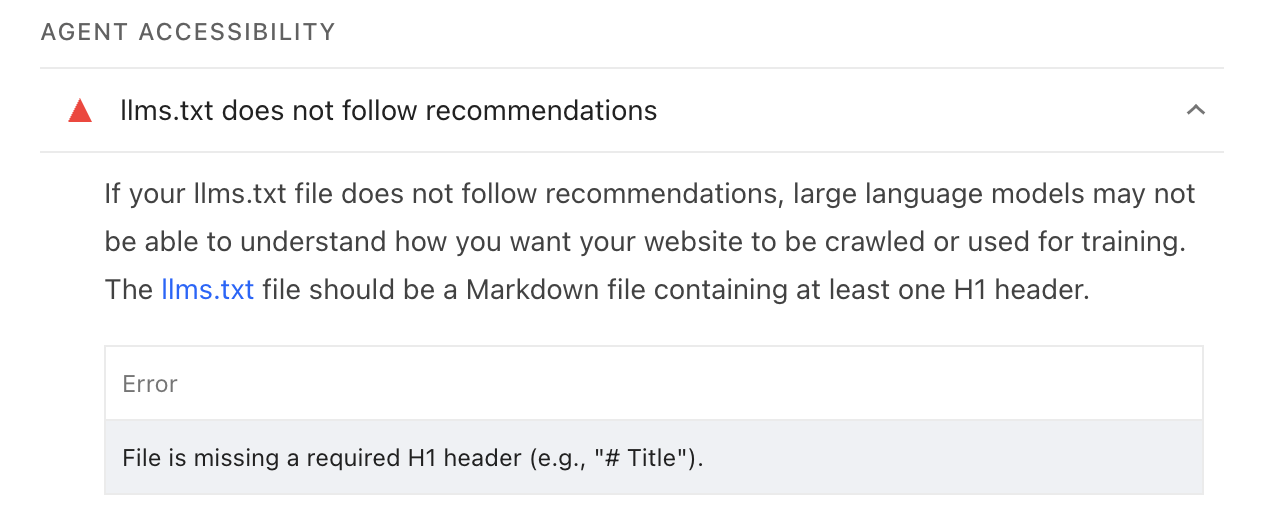
llms.txt files are a proposed way for websites to provide information to AI agents and crawlers. However, it is not widely used by AI tools currently.
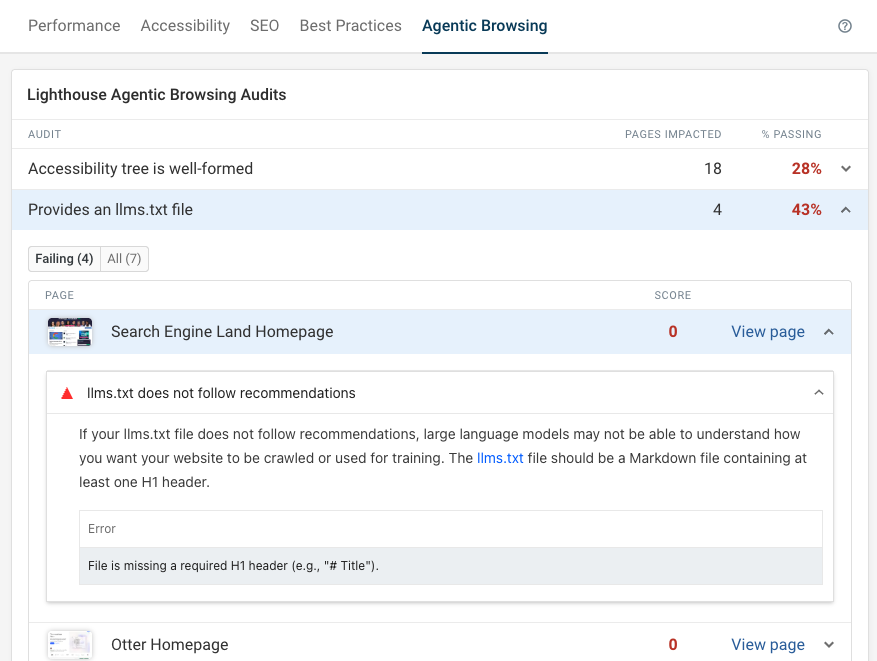
The new Lighthouse audit checks if the website provides an llms.txt file. If it does, it checks if the file is missing an H1 header, is too short, or doesn't contain any links.
Detecting layout shifts
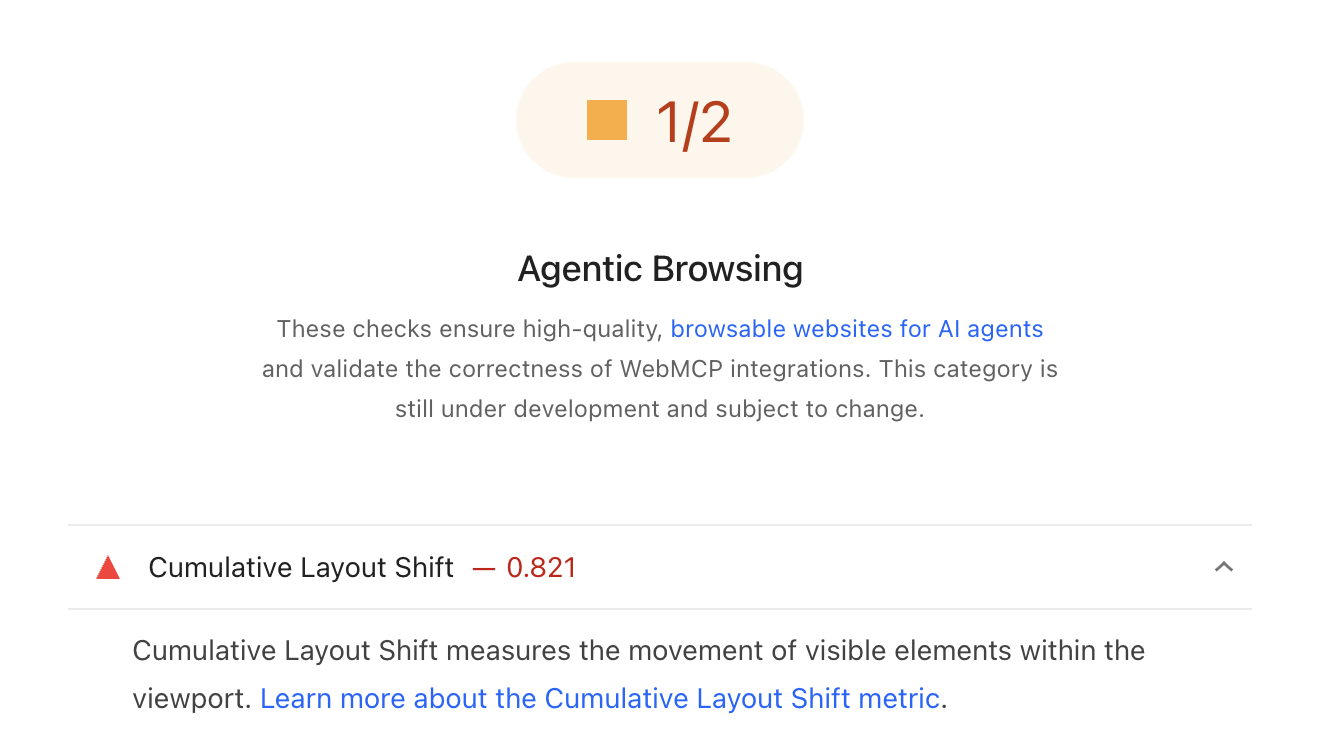
It's hard to use a website if content shifts around unexpectedly. In 2020, Google introduced the Cumulative Layout Shift (CLS) metric to measure and report these shifts.
Why does this matter to AI agents? Google's guide explains:
Ensure stable layout. Agents that take screenshots will likely be confused if your website layout is constantly shifting
Ultimately this audit just provides existing CLS score reporting in a different category. An AI agent may interact with your website more quickly than a human visitor, so shifts that occur as content is loading may be more disruptive to an agent.
Test your website and keep it optimized
Whether you're optimizing your website for performance, SEO, or AI agents, DebugBear provides in-depth reporting on website quality and visitor experience. Identify key issues and get alerted when there's a regression.


Monitor Page Speed & Core Web Vitals
DebugBear monitoring includes:
- In-depth Page Speed Reports
- Automated Recommendations
- Real User Analytics Data