
Declarative Shadow DOM (DSD) is the missing piece that makes server-side rendering of Web Components possible.
While shadow DOM already existed as part of the Web Components specifications, shadow roots could only be attached to elements via JavaScript, so they were entirely invisible to the HTML stream. Declarative Shadow DOM moves shadow root attachment into HTML itself, allowing browsers to parse and render server-side Web Components immediately, with no JavaScript required.
As shadow roots can now be serialized and delivered as HTML, content becomes visible sooner, which can meaningfully improve Core Web Vitals.
Web Components and Shadow DOM
Web Components let you build reusable, encapsulated UI components using standard HTML, CSS, and JavaScript. They can match the functionality of UI frameworks such as React or Vue while relying entirely on what the browser already provides. Since no third-party libraries are required, Web Components typically load faster than framework-based equivalents.
Web Components consist of three technologies, all part of the WHATWG HTML Living Standard:
- Custom Elements let you define your own HTML elements with custom behavior, such as
<user-card>. - Shadow DOM allows you to attach a shadow root (an encapsulated DOM subtree) to a host element, keeping a component's internals isolated from the rest of the page.
- HTML Templates (represented by the
<template>element) provide a way to define reusable HTML markup either to be cloned and inserted into the DOM via JavaScript, or rendered as a shadow tree directly in HTML (with Declarative Shadow DOM).
However, shadow DOM has a significant limitation. Shadow roots can only be attached imperatively via JavaScript, which means they can't be serialized to HTML. As a result, server-side rendering of fully encapsulated Web Components isn't possible with traditional shadow DOM because encapsulation is lost on the server and needs to be reconstructed by JavaScript on the client. Declarative Shadow DOM solves this issue.
Declarative Shadow DOM is available across all major browsers since February 2024. For most production sites, you can use DSD without a polyfill, but you may still want to add this fairly simple one if you need to support old browsers.
What Is Declarative Shadow DOM?
Declarative Shadow DOM is a browser feature that makes it possible to define shadow roots directly in HTML.
You can add a declarative shadow DOM via the shadowrootmode attribute of the <template> element:
<user-card>
  <template shadowrootmode="open">
    <style>
      /* ... */
    </style>
    <img src="jane.jpg" alt="Jane Smith" />
    <h2>Jane Smith</h2>
    <p>Lead Engineer</p>
  </template>
</user-card>
If you use DSD, the browser attaches the shadow root during HTML parsing. When it sees a <template shadowrootmode="open"> element, it moves its children into a shadow root and removes the <template> element, which creates an encapsulated DOM subtree. Since the shadow root is attached during HTML parsing, the component has its full structure and styles from the first render, with no JavaScript needed.
This is progressive enhancement in action. SSR'd Web Components are ready before JavaScript loads, and later JavaScript can enhance the existing shadow root with interactivity (even though it doesn't have to).
For comparison, this is how the above shadow root could be attached with imperative shadow DOM:
<!-- HTML -->
<template id="user-card-template">
  <style>
    /* ... */
  </style>
  <img src="jane.jpg" alt="Jane Smith" />
  <h2>Jane Smith</h2>
  <p>Lead Engineer</p>
</template>

<user-card></user-card>
// JavaScript
const host = document.querySelector("user-card");
const shadow = host.attachShadow({ mode: "open" });
const template = document.getElementById("user-card-template");
shadow.appendChild(template.content.cloneNode(true));
The shadow root above is only attached after the browser has downloaded, parsed, and executed your JavaScript bundle. This means the component's structure and styles are invisible until then, which delays the first render and blocks the critical rendering path.
Note that shadowrootmode can also be used in closed mode, which prevents external JavaScript from accessing the shadow root via element.shadowRoot (it returns null). The closed value is sometimes used for third-party embeds or widgets where encapsulation is a hard requirement.
For most use cases however, open is recommended, as closed mode can make debugging and testing harder and doesn't provide meaningful security (e.g., the shadow root's contents are still visible in DevTools and accessible to browser extensions). If you need to access a closed shadow root from within the custom element itself, you can still do so via ElementInternals.shadowRoot (unlike element.shadowRoot, this works regardless of the mode).
DSD and Native Server-Side Rendering
While Declarative Shadow DOM enables SSR for Web Components, it's not the same thing as server-side rendering.
DSD is a browser feature implemented as part of the HTML parser. Your server still needs to output the <template shadowrootmode=""> markup so that the browser can attach the shadow root during parsing. This can be done by any tool that generates HTML, including static site generators such as Jekyll, Eleventy, or Astro, and server-side frameworks such as Django, Rails, or Laravel.
Without DSD, even if you attempted to render a component's markup on the server, the shadow root itself couldn't be serialized to HTML, meaning the encapsulation would get lost and the component would still need JavaScript to reconstruct itself on the client.
With DSD, that hydration step becomes optional for components that don't need interactivity (however, JavaScript is still required for anything interactive).
Slotting and Styling
Not all of a Web Component's markup needs to live inside the shadow tree. You can slot light DOM content (i.e., regular HTML outside the shadow tree) into a shadow tree using the <slot> element:
<user-card>
  <template shadowrootmode="open">
    <style>
      :host {
        display: block;
        border: 1px solid #ddd;
      }
      ::slotted([slot="name"]) {
        font-size: 1.25rem;
      }
    </style>
    <div class="card">
      <slot name="name"></slot>
      <slot name="role"></slot>
    </div>
  </template>
  <h2 slot="name">Jane Smith</h2>
  <p slot="role">Lead Engineer</p>
</user-card>
The slotted content stays in the light DOM; it's just visually projected into the shadow tree.
Form controls and interactive elements, such as <input>, <button>, and <label>, should always remain in the light DOM and be slotted in, rather than placed directly inside the shadow tree. This is important because shadow DOM (whether imperative or declarative) has known accessibility limitations — the following don't work reliably across the shadow boundary:
- ARIA references – attributes such as
aria-labelledby,aria-describedby, andaria-controlscan't reference elements across the shadow boundary, breaking screen reader associations - Form associations – a
<form>in the light DOM can't see<input>elements inside a shadow root, so form submission and validation break for wrapped input components
The code example above also demonstrates how encapsulated styling works with Declarative Shadow DOM. The :host pseudo-class and the ::slotted() pseudo-element are shadow DOM-specific selectors that only work inside the shadow tree, in a <style> block within the <template> element.
While :host refers to the shadow host element itself (<user-card> in the example above), ::slotted() targets slotted light DOM content. They can't be used from global CSS, and global CSS can't reach into the shadow tree either (which is the point of encapsulation).
Scaling Declarative Shadow DOM
One practical limitation of DSD is verbosity, meaning every component instance requires its own <template shadowrootmode=""> block. For example, for a team page with 10 members, you'd need to write out the full <template> element 10 times.
This is where server-side templating can help, since any templating language can loop over the data and generate the markup. For example, here's how the above Web Component looks in Nunjucks:
{% for member in team %}
<user-card>
  <template shadowrootmode="open">
    <style>
      /* ... */
    </style>
    <div class="card">
      <slot name="name"></slot>
      <slot name="role"></slot>
    </div>
  </template>
  <h2 slot="name">{{ member.name }}</h2>
  <p slot="role">{{ member.role }}</p>
</user-card>
{% endfor %}
The same pattern works with Django templates, Rails ERB, Laravel Blade, or any other server-side templating tool. Since DSD is just HTML, any template engine that outputs HTML can generate it.
How Does Declarative Shadow DOM Impact Core Web Vitals?
Declarative Shadow DOM is great news for web performance because it can improve all three Core Web Vitals:
- Largest Contentful Paint (LCP) – With imperative shadow DOM, content inside components can't render until JavaScript runs, which delays LCP if that content contains your largest element. With DSD, shadow root contents are part of the initial HTML and render immediately, so your LCP element is no longer held back by JavaScript.
- Interaction to Next Paint (INP) – DSD reduces the amount of JavaScript needed to get your UI ready. Less work on the main thread at startup also means less time during which the browser is blocked from responding to user input.
- Cumulative Layout Shift (CLS) – A common source of layout shift is components that render late and reshape the DOM when a component's JavaScript executes and restructures the DOM. Because DSD components are fully rendered in the initial HTML, their layout is stable from the start, which eliminates layout shifts caused by client-side rendering.
Declarative Shadow DOM and SEO
Declarative Shadow DOM can improve search engine rankings in two ways:
- Since Core Web Vitals are Google ranking signals, better LCP, INP, and CLS scores will lead to better search rankings over time.
- As DSD content is present in the raw HTML, it's reliably indexable by all crawlers. While Google fully renders JavaScript, other search engines, such as Bing, still have inconsistent JavaScript rendering, which means Web Components rendered on the client side may not be indexed at all.
Measure the Impact of Declarative Shadow DOM
Declarative Shadow DOM makes SSR of Web Components genuinely possible, trims JavaScript off the critical rendering path, and can deliver meaningful improvements to Core Web Vitals. Now that it's Baseline across all major browsers, there's no longer a compelling reason to treat it as experimental — MDN already uses it in production.
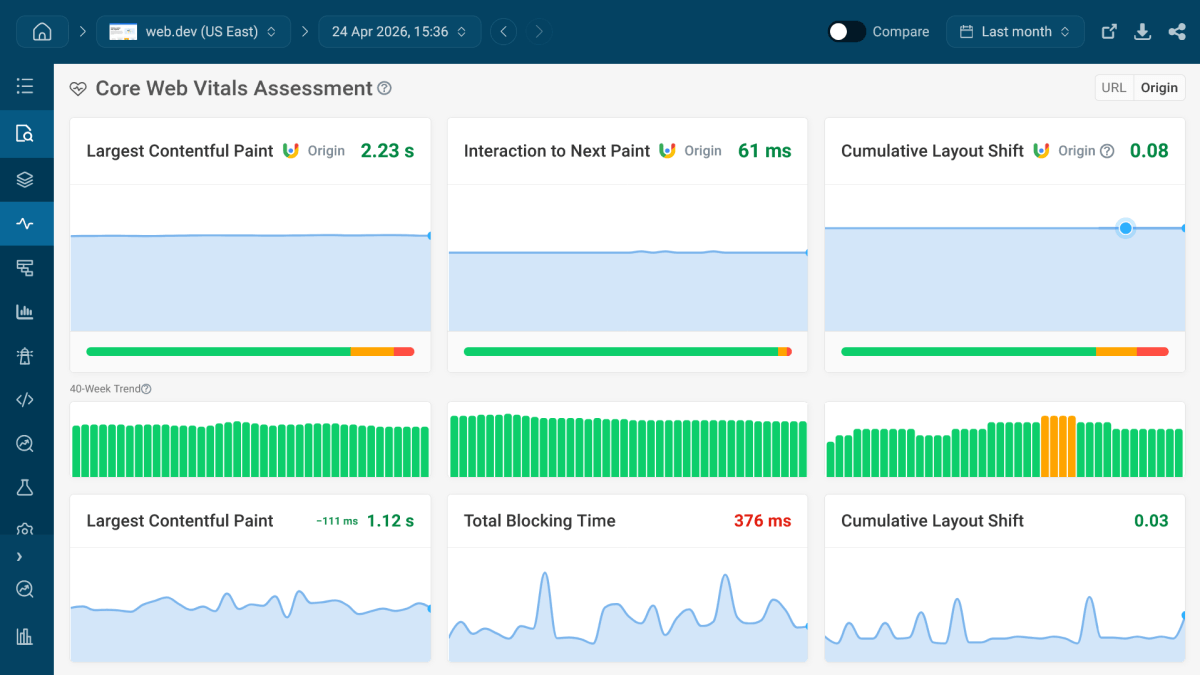
To see how DSD impacts your performance metrics, run simulated tests from 20+ locations around the world with DebugBear, and compare your results against your historical Web Vitals from the CrUX Report (which we automatically collect for all monitored pages):
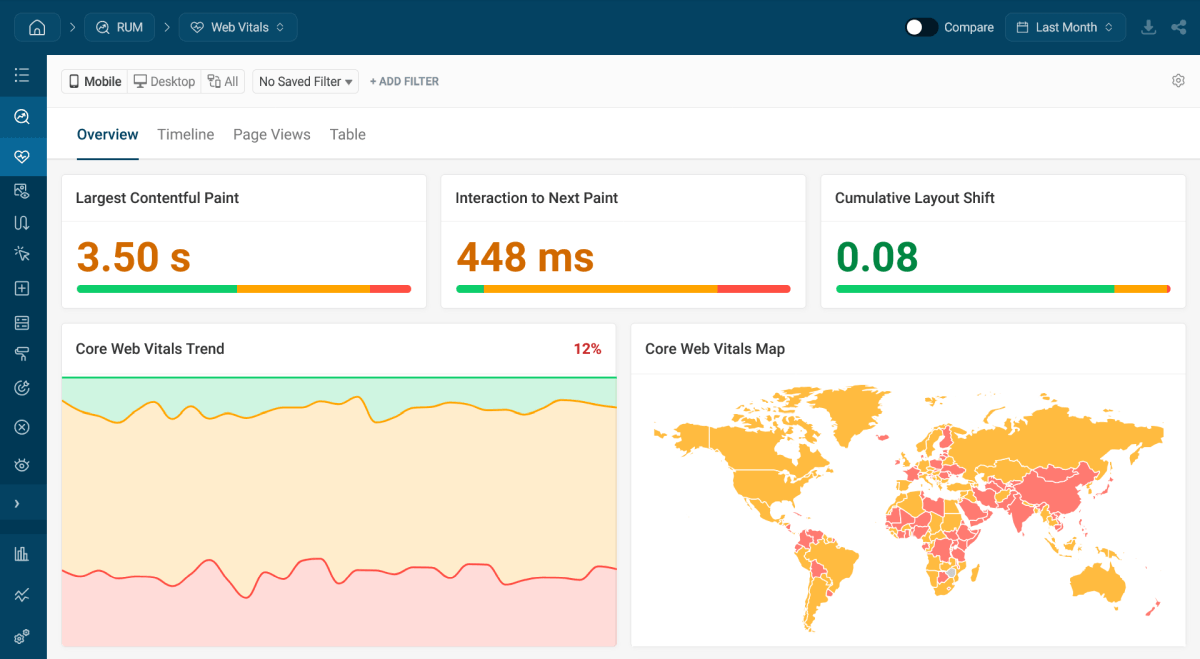
DebugBear also allows you to set up real user monitoring (RUM) so you can detect the bottlenecks and regressions your users encounter:
To get started, sign up for a free 14-day trial (no credit card required), and see how your app performs under different test conditions and in the real world.


Monitor Page Speed & Core Web Vitals
DebugBear monitoring includes:
- In-depth Page Speed Reports
- Automated Recommendations
- Real User Analytics Data