Manage Your DebugBear Account Details
The Account Details page holds the settings for your own user account, as opposed to team access or billing, which apply to the whole DebugBear account.
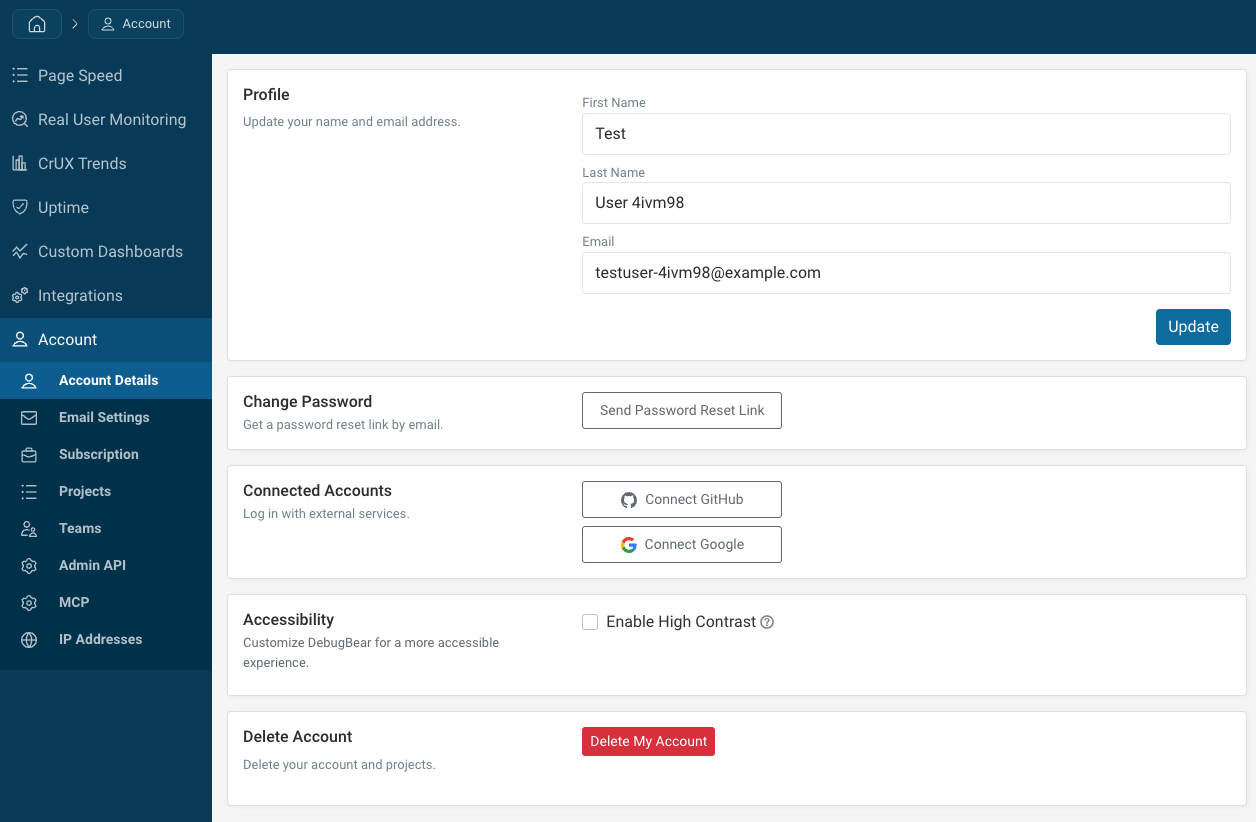
To open it, click the account icon in the top right of the page and then select Account Details.
Profile details
You can update your first name, last name, and email address. When you change your email addres you'll need to confirm the new email with a verification code.
If your company uses single sign-on, the changes you can make to your profile may be restricted.
Change Password
Click Send Password Reset Link and then use the link in your email to update your password.
This section is hidden if password login is not supported for your account. You may need to log in with Google authentication or single sign-on.
Connected Accounts
Connect a Google or GitHub account to sign in with that service instead of typing a password.
Accessibility
Enable High Contrast increases the colour differentiation across dashboards and charts, for example to better accommodate color blindness.
Delete Account
Delete My Account removes your user account along with the projects you own.
Self-service account deletion is only available for free trial accounts with a single user. If you've bought a subscription or invited other members of your team, please contact support.