Synthetic Transaction Monitoring
Continuously monitoring your website ensures you'll get notified quickly when problems come up. Synthetic transaction monitoring is one type of monitoring that can keep track of key metrics in user flows on your website that impact your business.
This article explains what synthetic transaction monitoring allows you to do and how to set it up.
What is synthetic transaction monitoring (STM)?
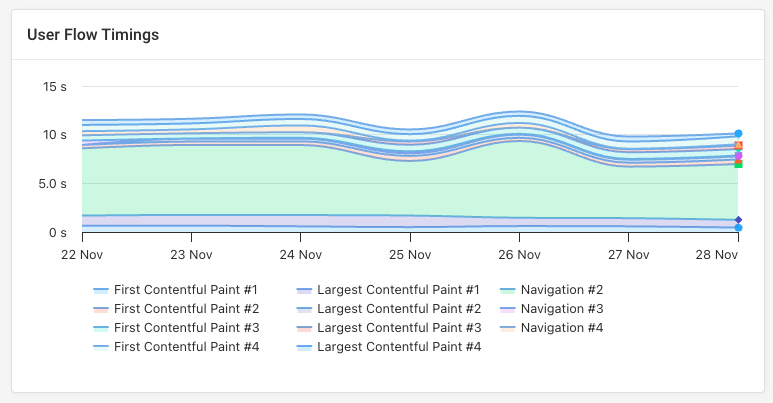
Transaction monitoring lets businesses check that key user flows on their website are working correctly and provide a good visitor experience. For example, you can measure the load time of different pages in a user flow.
Synthetic monitoring means collecting data in a controlled test environment, in contrast to real user monitoring. That means you can specify a specific test location or network speed and script user interactions across different pages.
Use cases for transaction monitoring
Here are some common scenarios your business might want to check regularly using synthetic tests:
- Ecommerce checkout speed: adding an item to the cart, entering delivery details, completing payment
- Booking flows: searching for services in a given location, picking an option and booking date, confirming reservation
- Search functionality: entering search terms and filtering results
A key advantage of synthetic transaction tests is that they can be set up for any page. You don't need to install anything on your website and can even benchmark user flow performance against your competitors.
Synthetic transaction monitoring tools
Many website monitoring tools include support for transaction monitoring, for example, DataDog, New Relic, or DebugBear.
For example, DebugBear user flows let you navigate through your website and interact with different page elements. You then get insight into the performance of each step in the transaction.
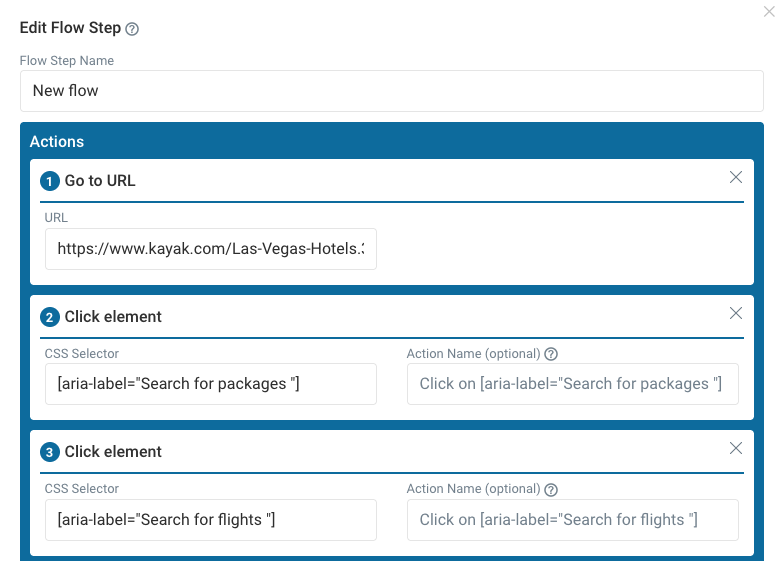
You can run the tests from over 30 different test locations using custom-defined mobile and desktop devices.
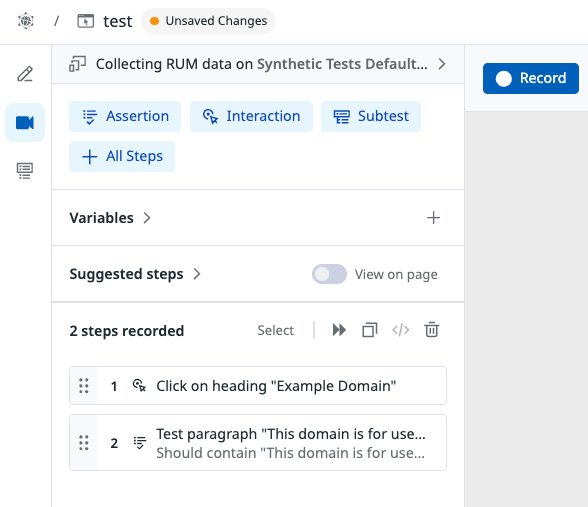
DataDog digital experience monitoring also lets you set up browser tests to monitor specific business flows. You can record different types of interactions and add assertions to check your website is behaving as expected.
Monitor synthetic Interaction to Next Paint (INP) scores
The Interaction to Next Paint metric measures how quickly your website responds to user input. Ideally, the page should be blocked for less than 200 milliseconds after an interaction.
When you script interactions in DebugBear, the INP scores are collected automatically for each interaction. You can see how the scores change over time in the User Flow tab.
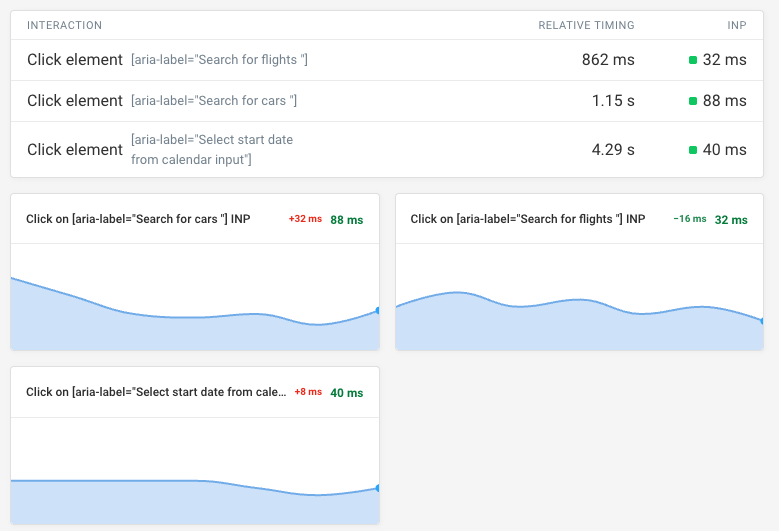
You can also see the synthetic INP monitoring data in your usual web performance dashboards.
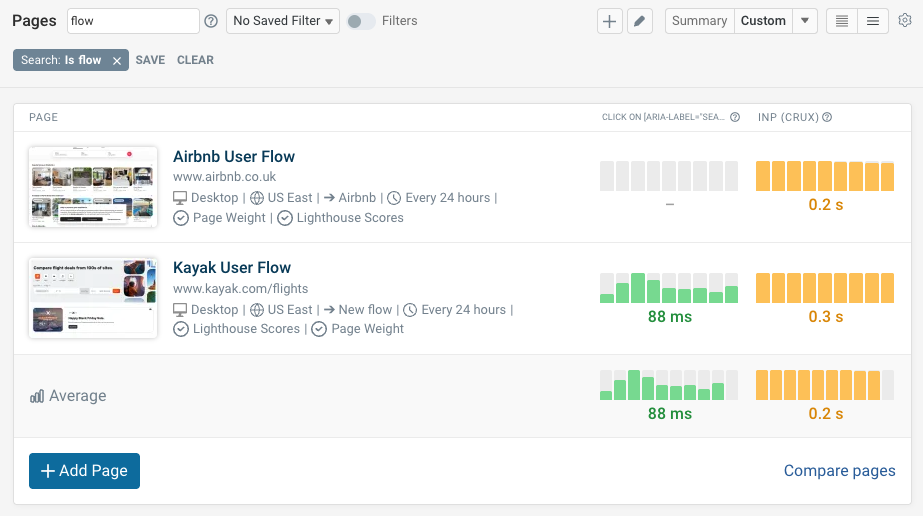
Get comprehensive insights with synthetic and real user data
DebugBear includes synthetic monitoring and real-user monitoring to provide comprehensive coverage of your website performance.
Script synthetic transactions, measure real user Core Web Vitals, and track conversion rates to see how website performance impacts business results. Sign up for a free trial.
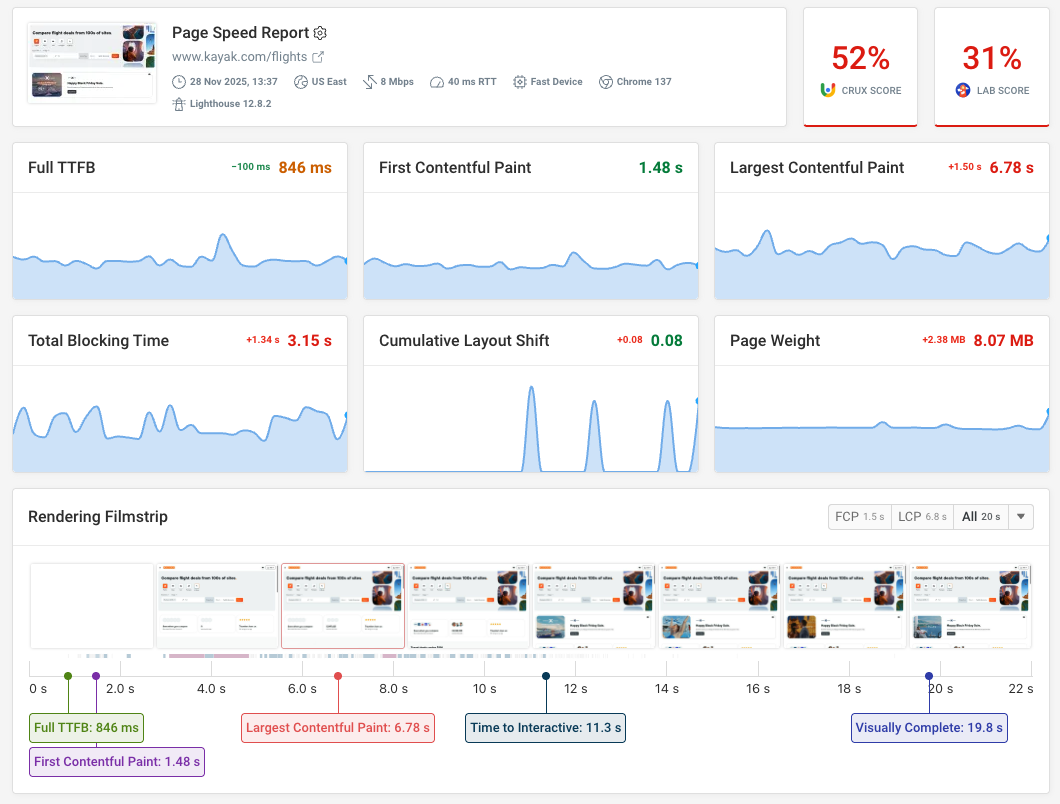


Monitor Page Speed & Core Web Vitals
DebugBear monitoring includes:
- In-depth Page Speed Reports
- Automated Recommendations
- Real User Analytics Data