Access Web Performance Data With The DebugBear MCP Server
DebugBear provides a Model Context Protocol (MCP) server that lets you use the DebugBear API using your preferred AI model. You can use it to set up synthetic monitoring, evaluate test results, or fetch real user monitoring metrics.
How the MCP server works
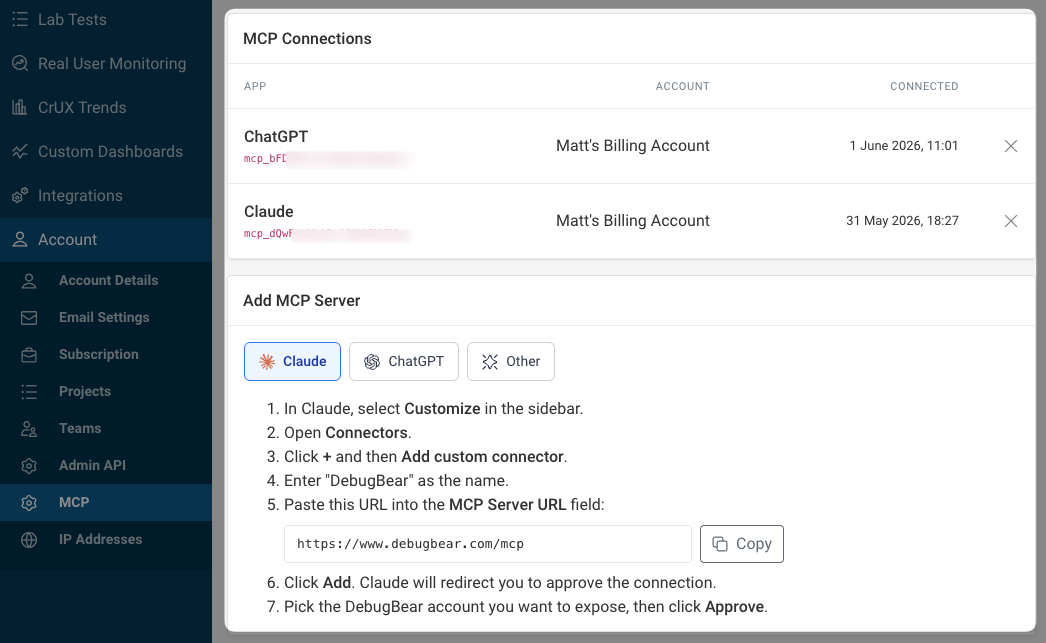
Your AI agent can access our MCP server at this URL: https://www.debugbear.com/mcp
Once you've started the setup you'll be redirected back to our website to grant account access to the AI agent.
After the setup is complete, ask the AI agent to check DebugBear for the data you want to access or tell it to configure your account as you need it.
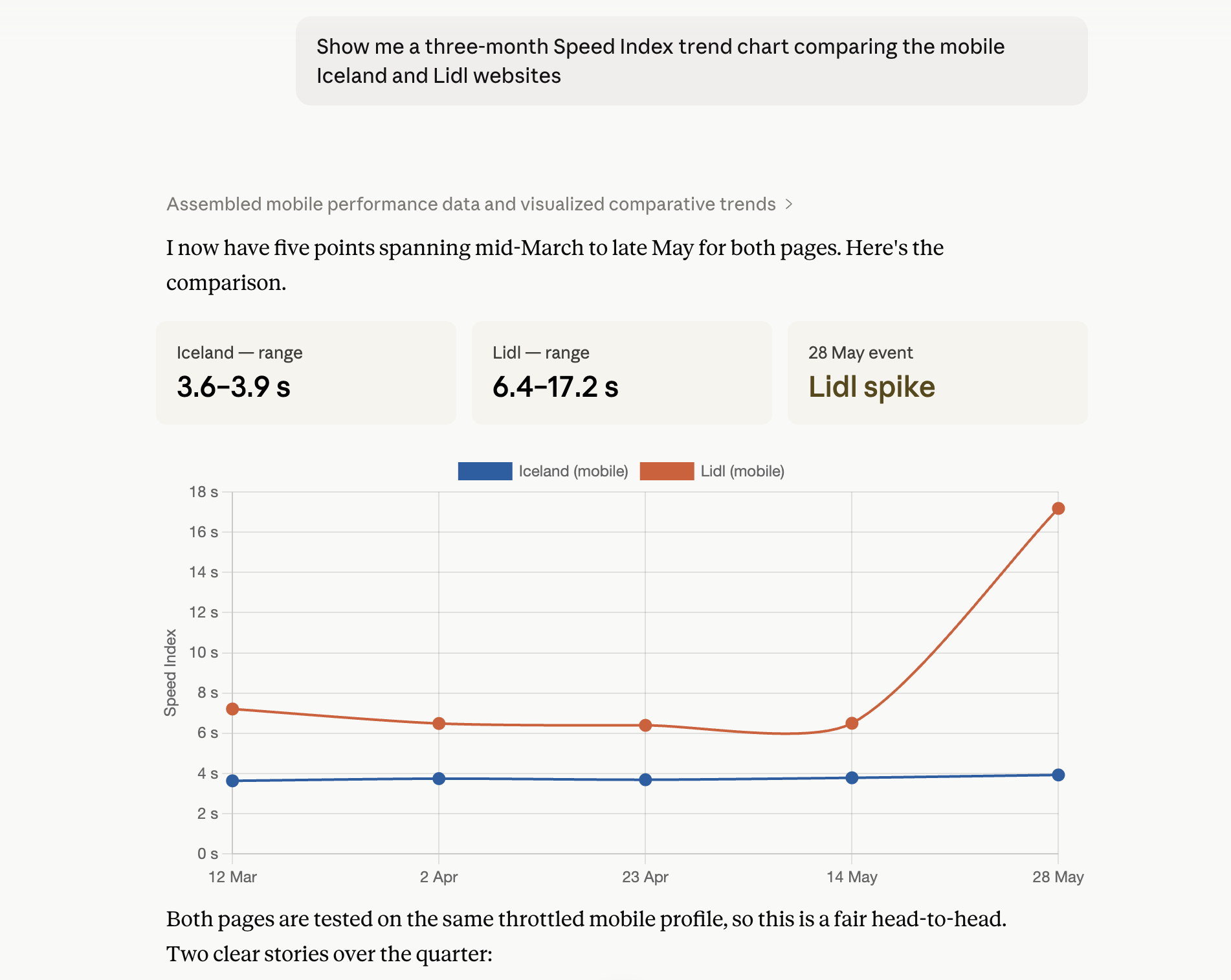
How to set up the MCP server
How the MCP server integration works depends on the AI assistant you're using. Check out these in-depth guides for specific instructions:
What can you do with the MCP server?
Our MCP server supports the same functionality as our Node or HTTP API. For example, you can:
- Create projects and set up monitoring for pages
- Run quick tests
- Add timeline annotations
- Access test results
- Query real user monitoring metrics
View your MCP server connections
Open your account settings and select MCP in the sidebar to view what AI agents you've connected to your account. You can also revoke access here.
Using the MCP server with an API key
If you want to run the MCP server in a cloud environment you can also use an admin API key to authenticate instead of going through the OAuth flow.
For example, when using Claude Code you can add a new MCP server like this:
claude mcp add \
  --transport http \
  debugbear https://www.debugbear.com/mcp \
  --header "X-Api-Key: ADMIN_API_KEY"