Create User Flows With AI
Setting up a user flow normally means listing every action a visitor takes, including the CSS selector for each element you want to click or fill in.
Instead of writing that list yourself you can describe what the flow should do and let our AI agent generate the flow steps for you.
Where to find it
The AI assistant appears wherever you edit a user flow.
- For a user flow monitor, click Configure User Flow
- For Lighthouse page load tests, click on Add Advanced Setting and choose User Flow
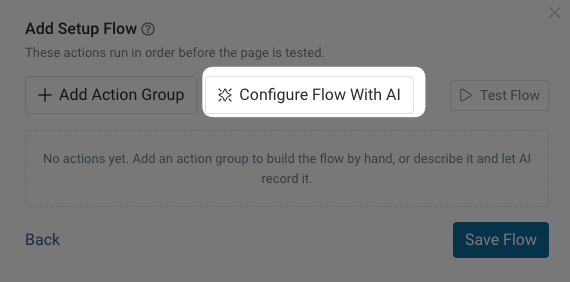
In the editor, click Configure Flow With AI.
Generating a flow
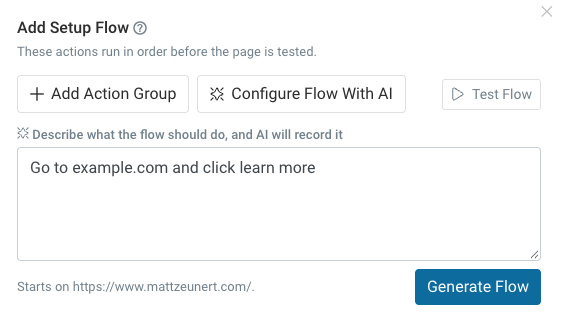
Describe the steps you want and click Generate Flow.
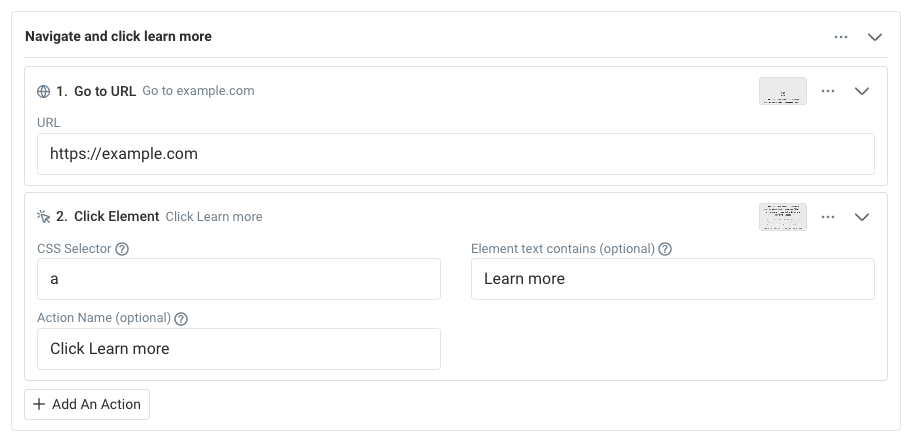
For example, you could say "Go to example.com and click on learn more".
Generating the flow steps can take a minute or two.
You'll then be able to see whether the user flow could be generated correctly. That includes a video recording of the recorded steps.
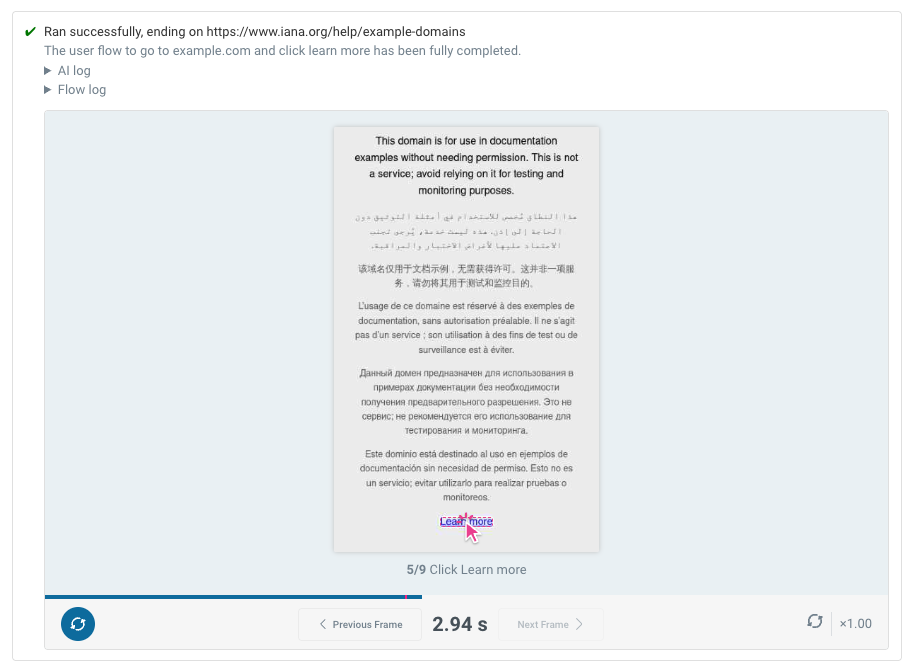
Below that you can see the individual actions that have been recorded, for example a URL navigation and a click on a page element
Troubleshooting
Sometimes we may not be able to generate the user flow correctly, for example if our agent gets blocked when trying to access your website.
The user flows are generated from DebugBear's US East IP address with the user agent and other HTTP headers you've configured for the test.
You may also need to review any CSS selectors that have been generated. For example, if the flow contains a click on a specific link URL and you know that this URL changes frequently you can then edit the CSS selector to be more generic or ask the AI for a more generic selector.
Changing an existing flow
Once a flow has steps, the button becomes Ask AI To Change This Flow. Describe the change and click Update Flow:
- "Also open the cart at the end"
- "Remove step 2"
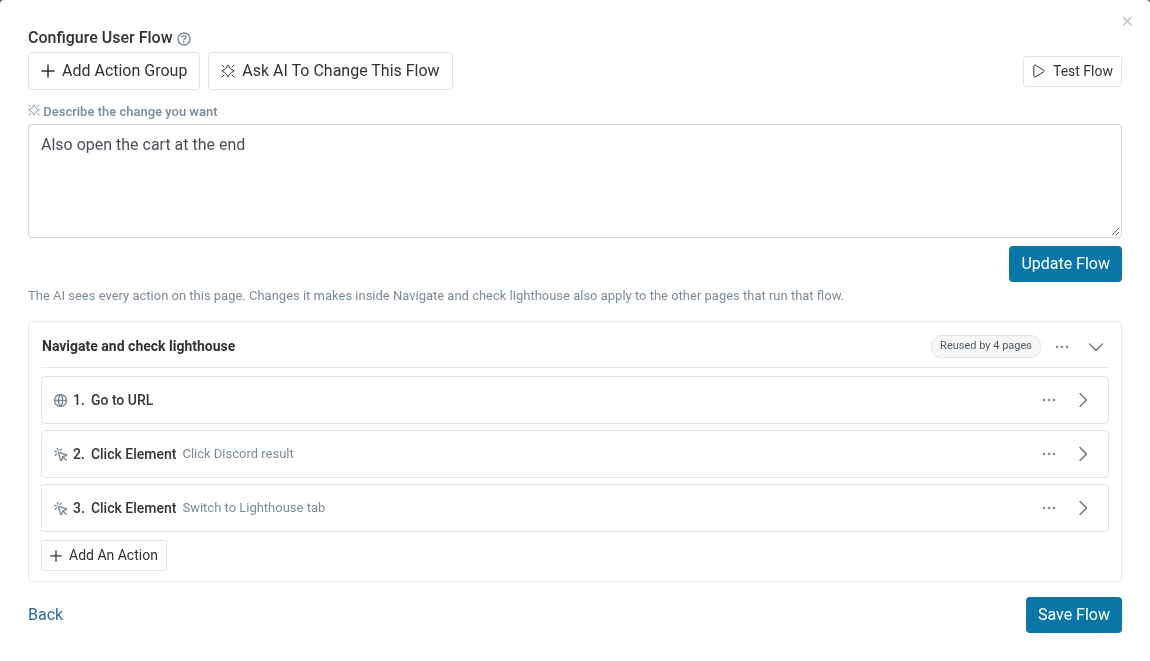
The existing steps are replayed in the browser first, so the change is applied to the page as it really is at that point in the flow.
Testing without the AI
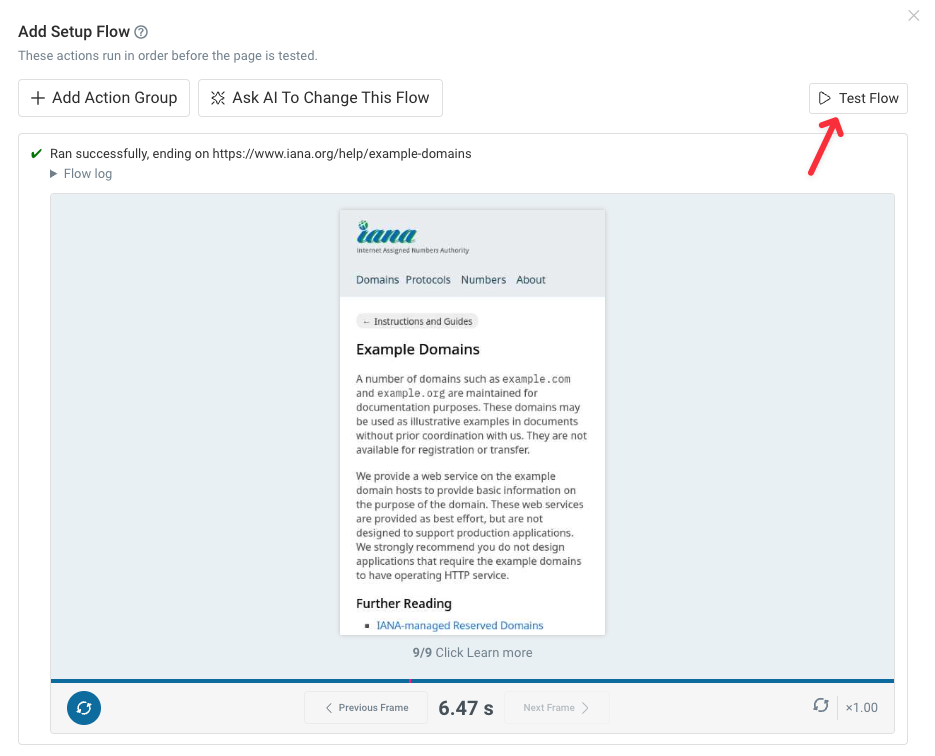
Test Flow runs whatever actions are currently in the editor, with no AI involved. You get the same replay and the same error reporting, so it's the quickest way to check a flow you wrote or edited by hand.